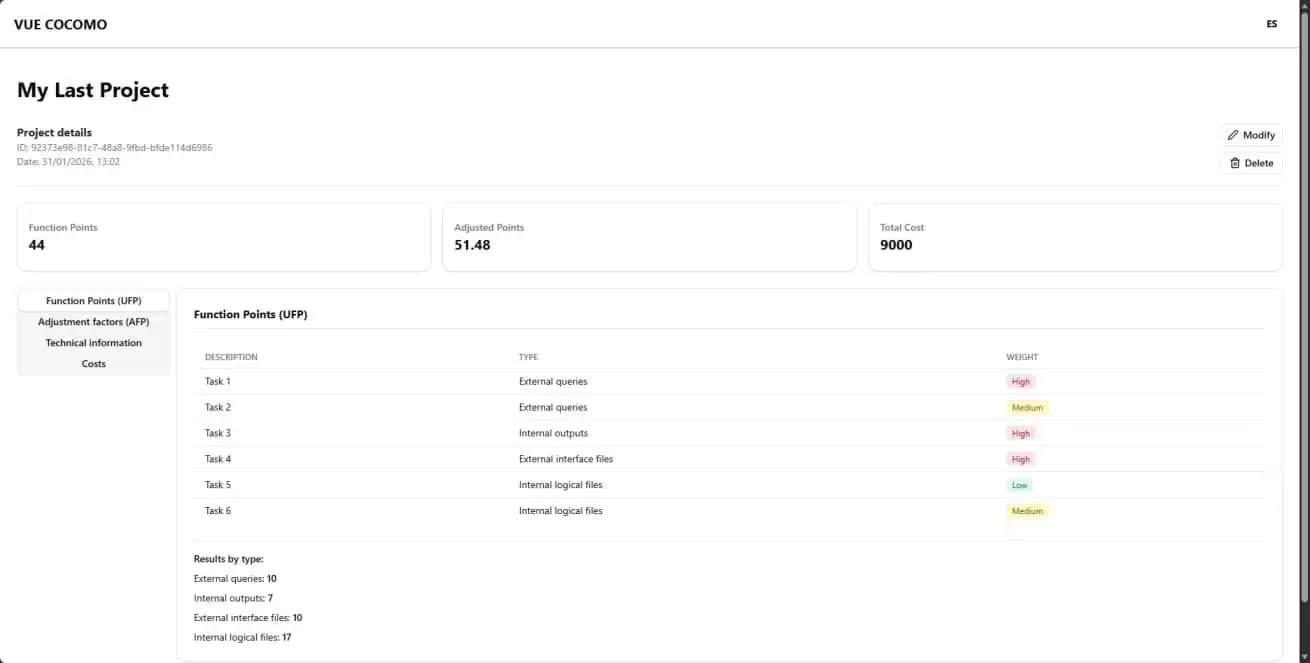
Vue COCOMO is a modern web application for estimating software project costs using the COCOMO (Constructive Cost Model). It enables automatic calculation of effort, development time, team size, and cost required to complete a software project based on various input parameters.
Problem it solves
Manual estimation of software projects can be inaccurate and time-consuming. The COCOMO model requires multiple sequential mathematical calculations, and existing tools are often outdated or cumbersome to use. Vue COCOMO automates this process, providing fast and reliable results.
Tech stack
- Frontend
-
 TypeScript: Main language of the project
 -
 Vue 3: UI framework
 -
 Vite: Fast build tool
 -
 Pinia: State management for global data handling
-
- UI
-
 Tailwind 4: Utility-first CSS framework
 -
 Shadcn/UI: Prebuilt, reusable components
 -
 Iconify: Icon library
-
- Validation
-
 VeeValidate: Real-time schema validation
-
- Internationalization
- Vue I18n: Multilanguage support
-
- Markdown
-
 markdownit: Rendering documentation in MD
 - markdown-it-mathjax3: Math formula rendering
-
- Storage
-
 IndexedDB: Local browser data storage
-
Application
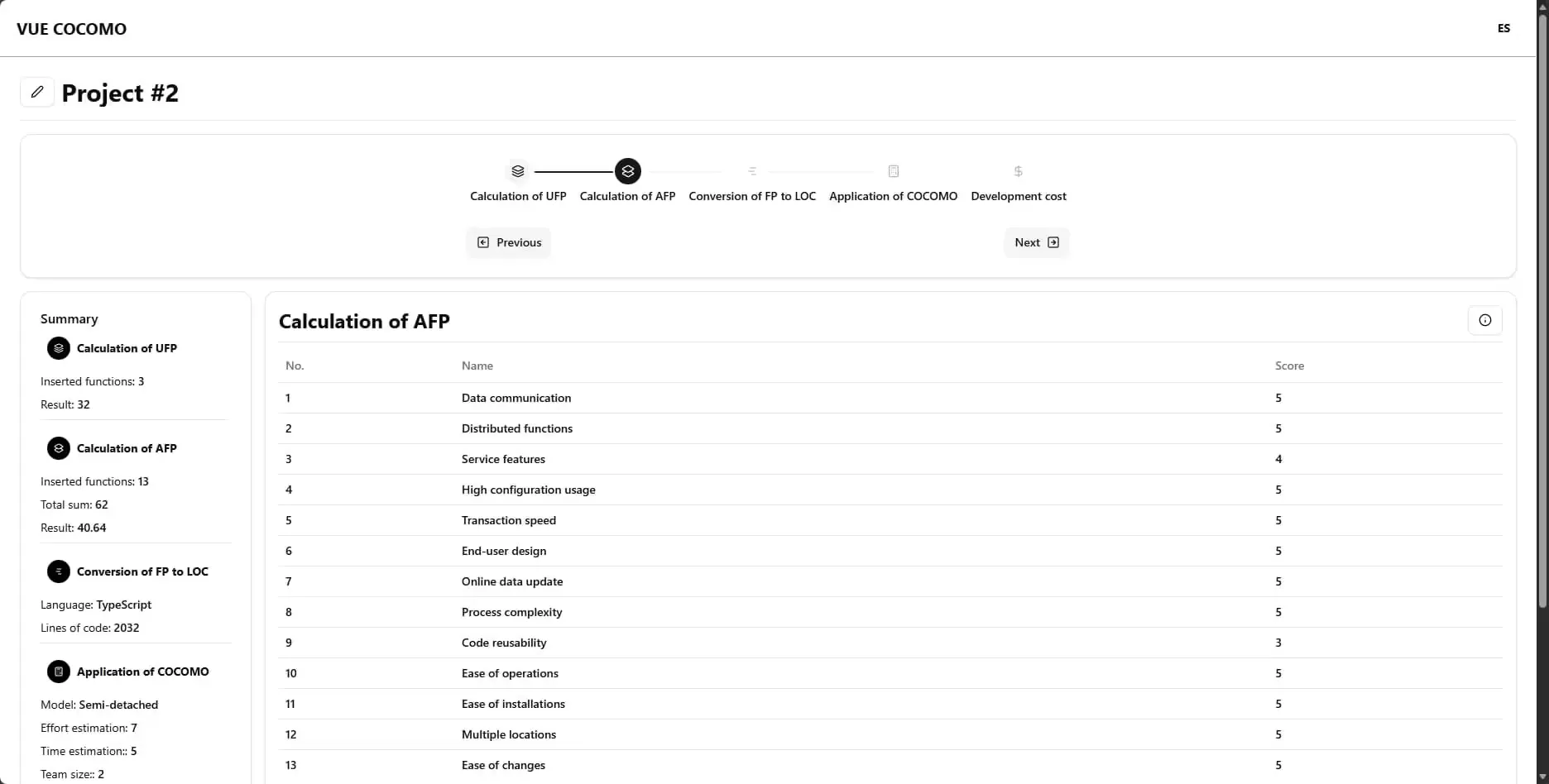
The estimation process is performed through an interface where users can enter key project parameters such as software size, complexity, and other relevant factors. The application then automatically calculates estimation metrics using the COCOMO model and presents the results clearly and understandably.
Features
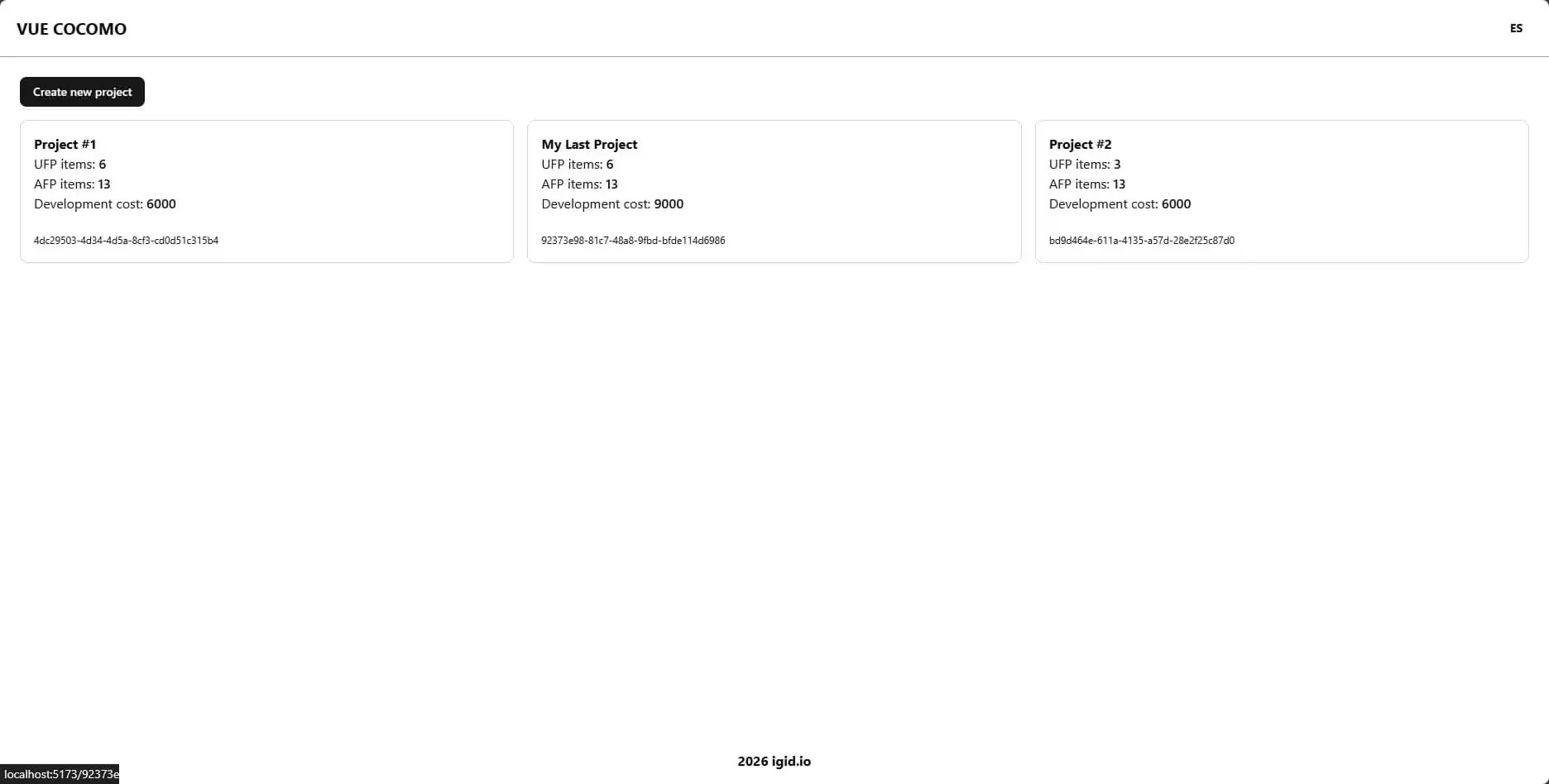
- Project management: Allows users to create, edit and delete software projects, storing all data locally in the browser for quick and secure access via IndexedDB.
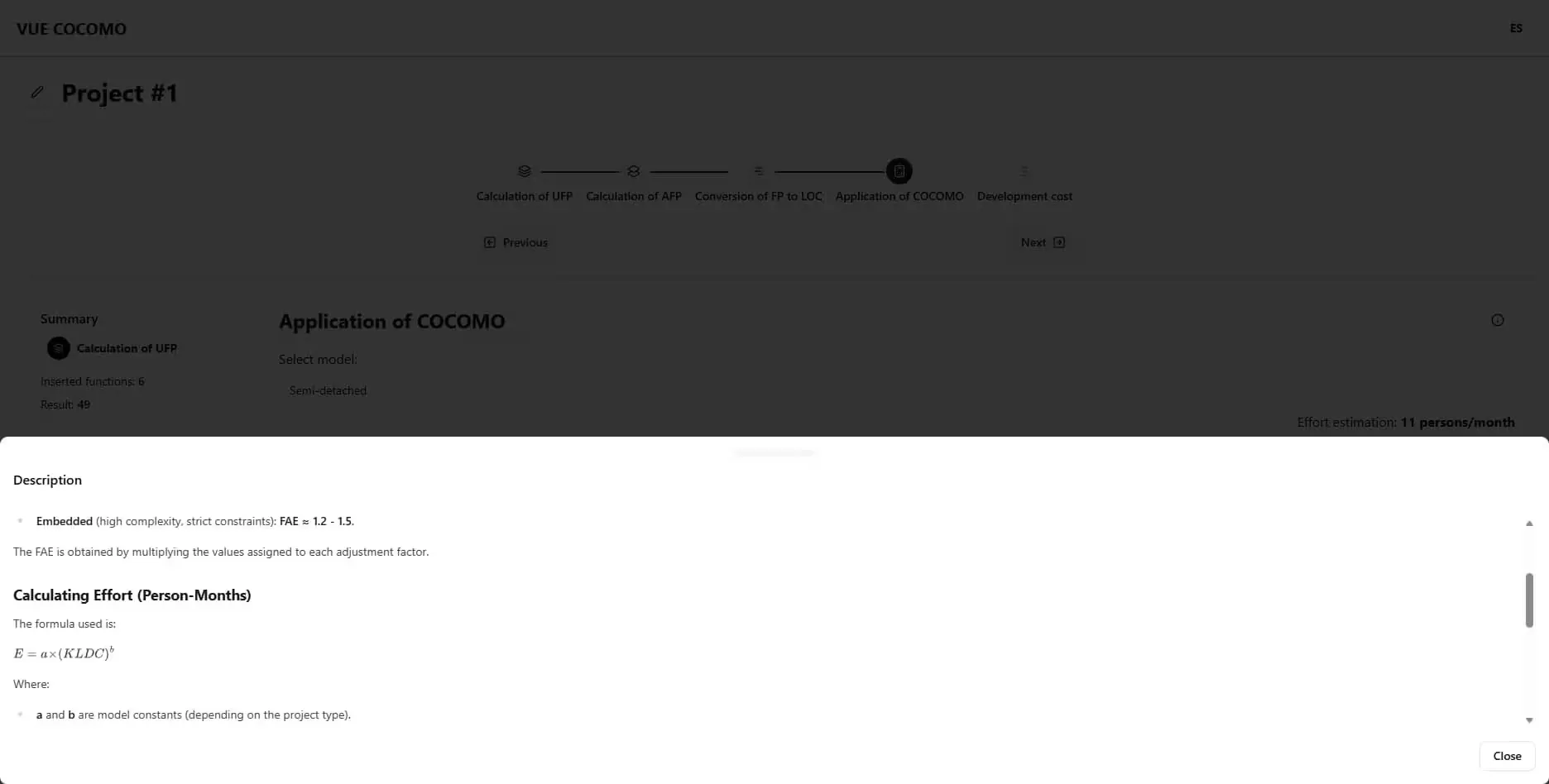
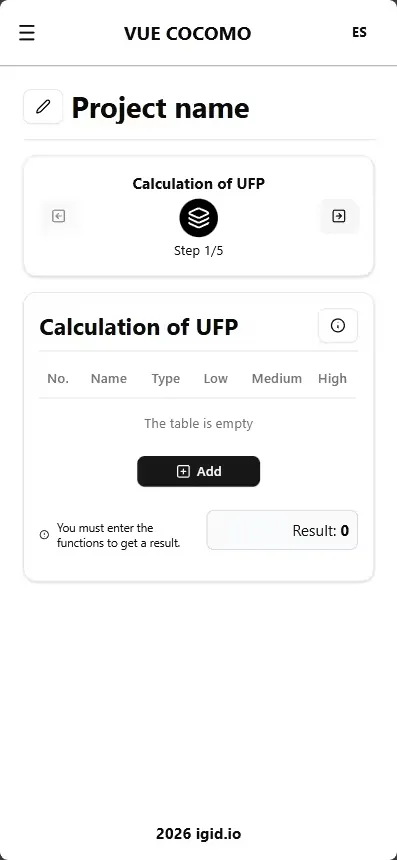
- Step-by-step guidance: Leads users through a process to enter the parameters required for estimation, ensuring no important detail is missed.
- Result visualization: Presents estimation results with metric cards and detailed tabs breaking down costs.
- Multilanguage support: Dynamic interface language switching; currently supports English and Spanish.
Value and application
- Software developers: To estimate effort and cost for new projects.
- Students and academics: As an educational tool to understand the COCOMO model.
- Project managers: To better plan resources and budgets.
Prerequisites
- Node.js >= 18.x
- npm >= 9.x or yarn >= 1.22
Installation and running
-
Clone the repository:
git clone https://github.com/igidio/vue-cocomo.git cd vue-cocomo -
Install dependencies:
npm install # or using yarn yarn install -
Start the application in development mode:
npm run dev # or using yarn yarn dev -
Open your browser and go to 🔗
http://localhost:3000to see the app in action.
License
This project is licensed under the MIT License. See the 📄LICENSE.md file for details.