Vecinadmin is a full-featured community management platform designed to centralize administration, communication and coordination between residents, administrative staff and residential zones through a web application and a native mobile app. Vecinadmin transforms passive security into proactive security with its real-time alerting system and empowers the community with self-management tools.
Problem it solves
Residential community management is often disorganized, with multiple scattered communication channels and insufficient security measures. This leads to lack of transparency, poor communication and lost information. Vecinadmin centralizes communications, complete history and discussion forums into an official, structured platform.
Vecinadmin Server
Vecinadmin Server is a robust backend server designed to manage neighborhood communities and residential complexes. The system not only handles user registration but also supports civic safety through real-time alerts, promotes community communication via forums and news, and manages logistics for common spaces and meetings.
Technology stack
- Backend
-
 TypeScript: Main language of the project
 -
 Node.js: Server runtime environment
 -
 NestJS: Framework to structure the server
-
- Database
-
 PostgreSQL: Relational database for data storage
 -
 Prisma ORM: ORM for interacting with SQL and NoSQL databases
-
- Authentication & security
-
 JWT: JSON Web Tokens for secure authentication
 - 🔑 bcrypt: Library for password hashing
-
 Passport.js: Authentication middleware
-
- Communication
-
 Socket.IO (WebSockets): Real-time communication between client and server
 -
 NATS: Messaging system for inter-service communication
-
- Validation
-
 class-validator: Validation for incoming data
 - class-transformer: Object transformation utilities
- 🥳 Joi: Schema validation
-
- External services & integrations
-
 Cloudinary: Cloud service for image management and optimization
-
- Utilities
- 🕰️ Luxon: Date and time handling
-
 Sharp: Library for image processing on the server
- Testing
-
 Jest: Testing framework for JavaScript and TypeScript
 - Supertest: Library for HTTP API testing
-
- API documentation
-
 Swagger UI: User interface for API documentation and testing
-
Features
-
Authentication system: Implements an authentication module that supports multiple strategies, including local authentication (email and password), Google OAuth2, password recovery and account verification via confirmation tokens.
-
User and roles management: Allows creating and managing different user roles such as residents (
resident), zone staff (staff), administrative personnel (administrator) and superusers (superuser), each with specific permissions to access platform features. -
Staff onboarding requests: Individuals wishing to join as staff (
staff) must fill a form with personal and contact information that Vecinadmin staff verifies before sending a registration link. To become an administrator (administrator), a superuser (superuser) can invite other users by sending a personalized registration link via email. -
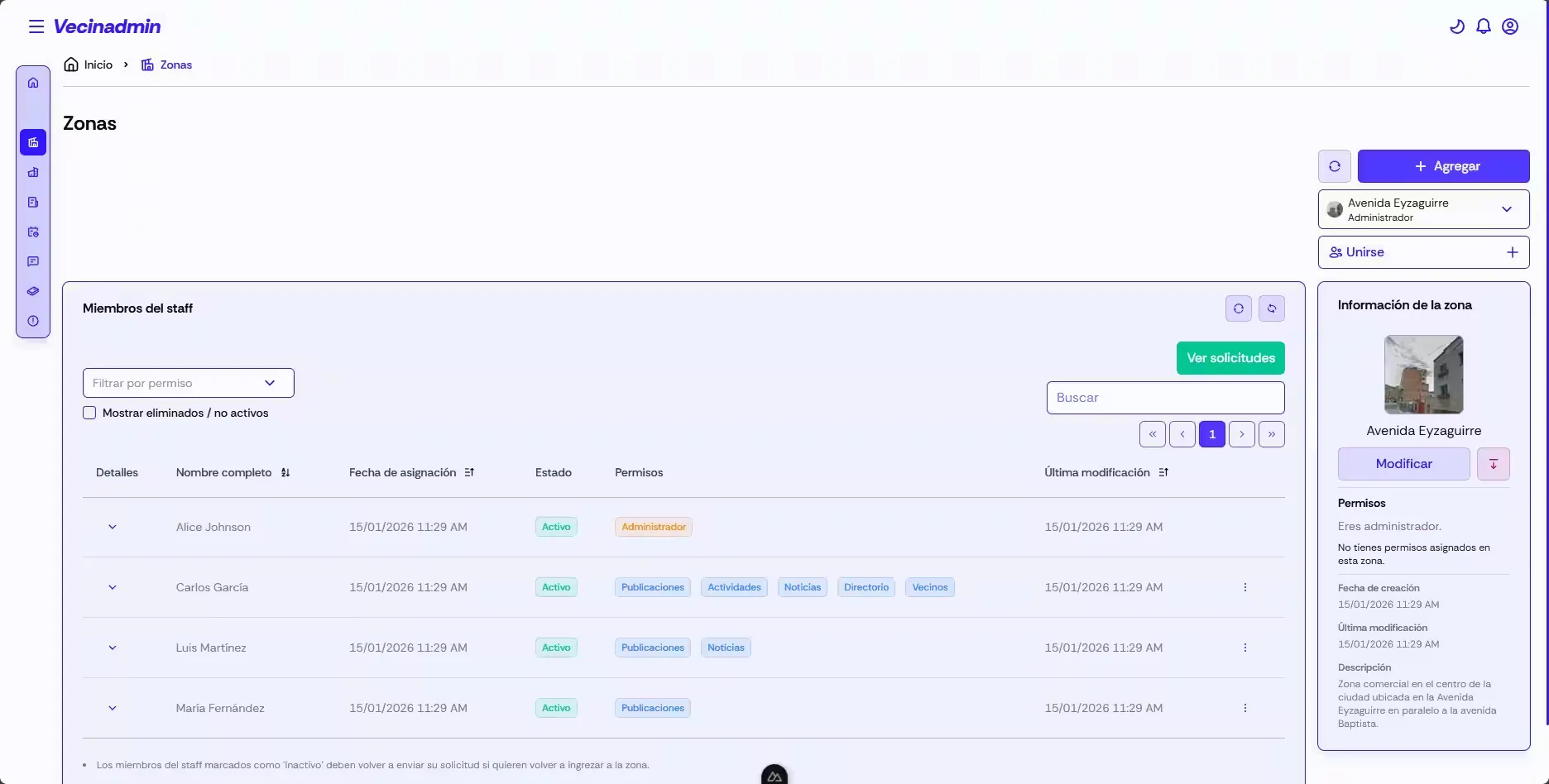
Residential zone management: Staff members can create and manage residential zones independently. Each zone can have multiple associated residents and be managed by several staff members. Zones can be activated or deactivated and include descriptive information with images.
-
Permissions for staff members: Staff assigned to a residential zone can have permissions such as moderating forums, managing news, administering common spaces and coordinating meetings. These permissions are determined by the zone creator, who is another
staff-level user. -
News and announcements:
staffusers can publish news and announcements to keep residents informed about zone status, upcoming events or any relevant information. News can be moderated by other staff members and administrators can remove inappropriate items. -
Community discussion forums: Includes forums where users can interact, discuss relevant topics and share information. Staff (
staff) and administrative users (administrator,superuser) can moderate forums to ensure a respectful and constructive environment. -
Meetings and attendance management:
staffusers can call meetings with title, description, location, start and end date/time. Residents (resident) can confirm attendance from the mobile app by scanning a QR code, enabling better organization and coordination within the community. -
Critical emergency alerts module: Allows residents to report different types of emergencies in real time: medical emergencies, security incidents, fire risks and taxi requests. Each alert is recorded with type, reporter and timestamp to facilitate incident tracking.
-
Real-time notifications system: Robust notification system that alerts users about relevant events via WebSockets. Supports different notification types (
info,warning,error,success) with titles, messages and action links. Users can mark notifications as read or delete them. -
Full user profiles: Each user has a detailed profile with personal information: first and last names, phone number, identity number and type, birth date and profile photo. Information is managed separately to preserve privacy and allow independent updates.
-
Multimedia uploads: Integration with Cloudinary to handle image uploads and optimization. Images are processed with Sharp before upload to ensure appropriate formats and sizes. Images are used for profiles, news, zones and directories.
-
Email confirmation system: Implements a dedicated microservice for sendingVecinadmin transforms passive security i emails via a NATS channel, enabling efficient and scalable email communications. The system can send password recovery and account verification emails, each backed by tokens with defined validity periods.
-
Testing and code quality: Unit and end-to-end tests are implemented to ensure system stability and quality. Tools like Jest and Supertest are used for testing and ESLint for maintaining clean, consistent code.
Modules
- AuthModule: Authentication and authorization (login, register, OAuth, JWT).
- UserModule: User and roles management.
- ProfileModule: Personal profile information.
- ZoneModule: Residential zone management.
- StaffModule: Administrative staff management.
- ResidentModule: Residents management.
- NewsModule: Publishing and managing news.
- DirectoryModule: Local services directory.
- ForumModule: Community discussion forums.
- MeetingModule: Meeting calls and attendance.
- AlertModule: Alerts and emergencies system.
- RequestModule: Zone membership requests.
- NotificationModule: System notifications.
- SocketModule: Real-time WebSocket communication.
- ConfirmationModule: Email confirmation tokens.
- UploadModule: Multimedia uploads management.
- TransportModule: NATS integration for microservices.
- DashboardModule: System statistics and metrics.
- PrismaModule: Database connection and services.
Data model
The database design is relational and structured as follows:
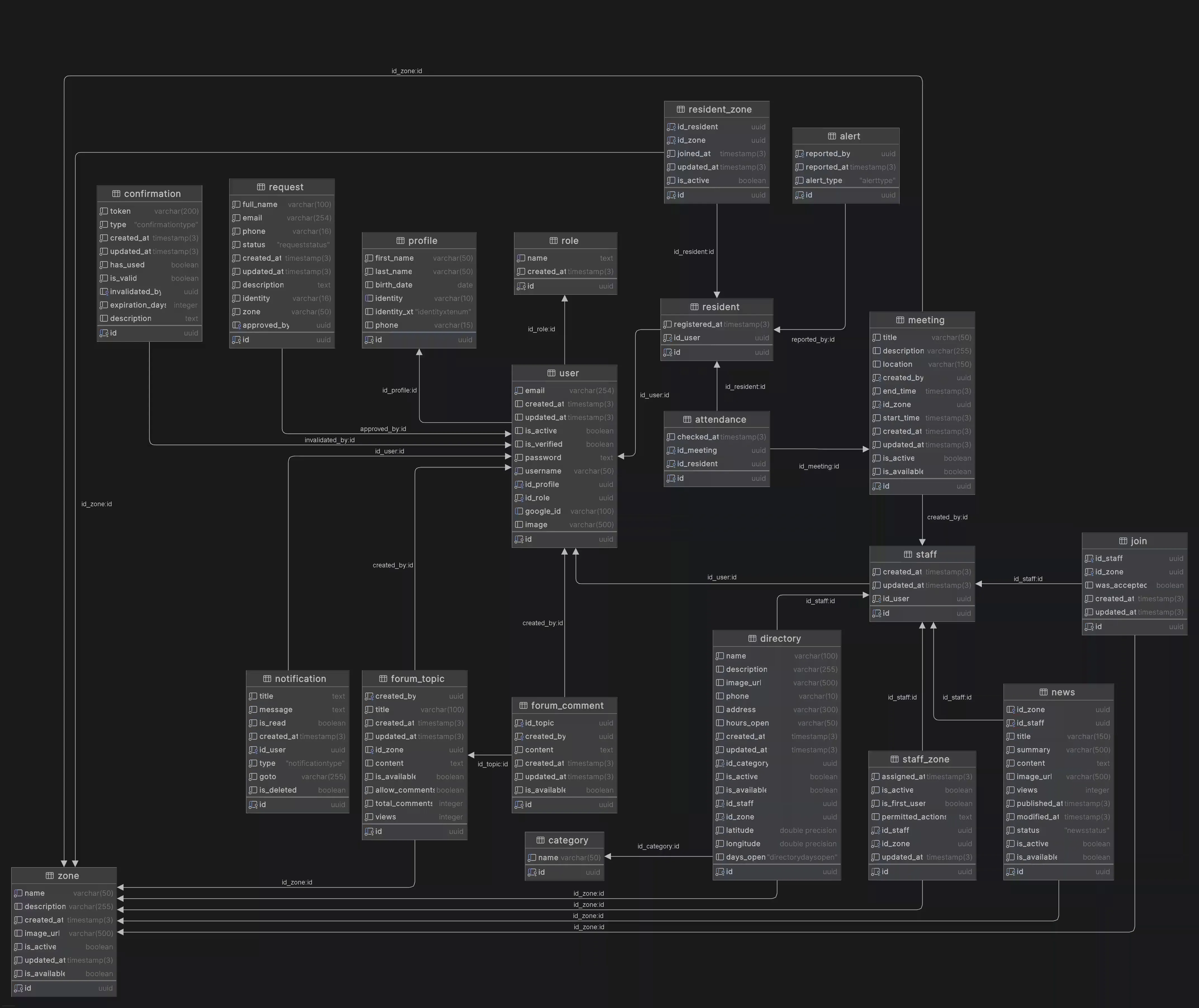
You can view the data model on diagrams.net: Vecinadmin Server data model
Prerequisites
- Node.js (v18 or higher)
- npm
Installation and running
-
Clone the repository:
git clone https://github.com/igidio/vecinadmin_server.git cd bdi-backend -
Install dependencies:
npm install -
Environment configuration: Rename the sample env file and configure your variables:
cp .template.env .env -
Database configuration: If you have Docker installed, set up the 📄docker-compose.yaml file with your PostgreSQL instance details. Then run the following command to start the PostgreSQL database:
docker-compose up -d -
Run migrations and seeds: Ensure the database is running and run migrations and seeds to prepare the schema:
# Run Prisma migrations npx prisma migrate dev # Run seeders to populate initial data npm run seed -
Start the application:
npm run start:dev
If everything is configured correctly, the app should be running at 🔗http://localhost:3000.
Vecinadmin Client
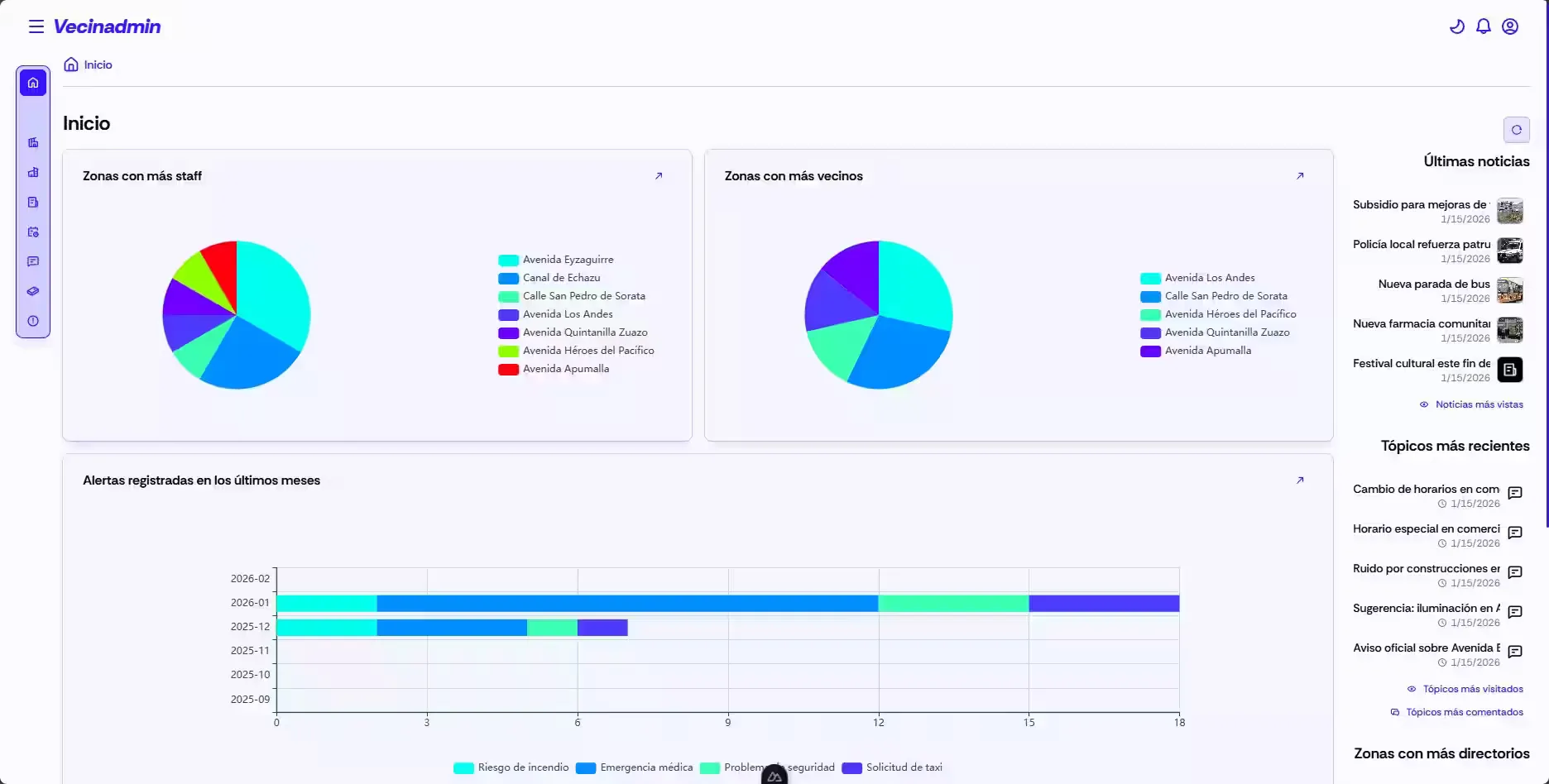
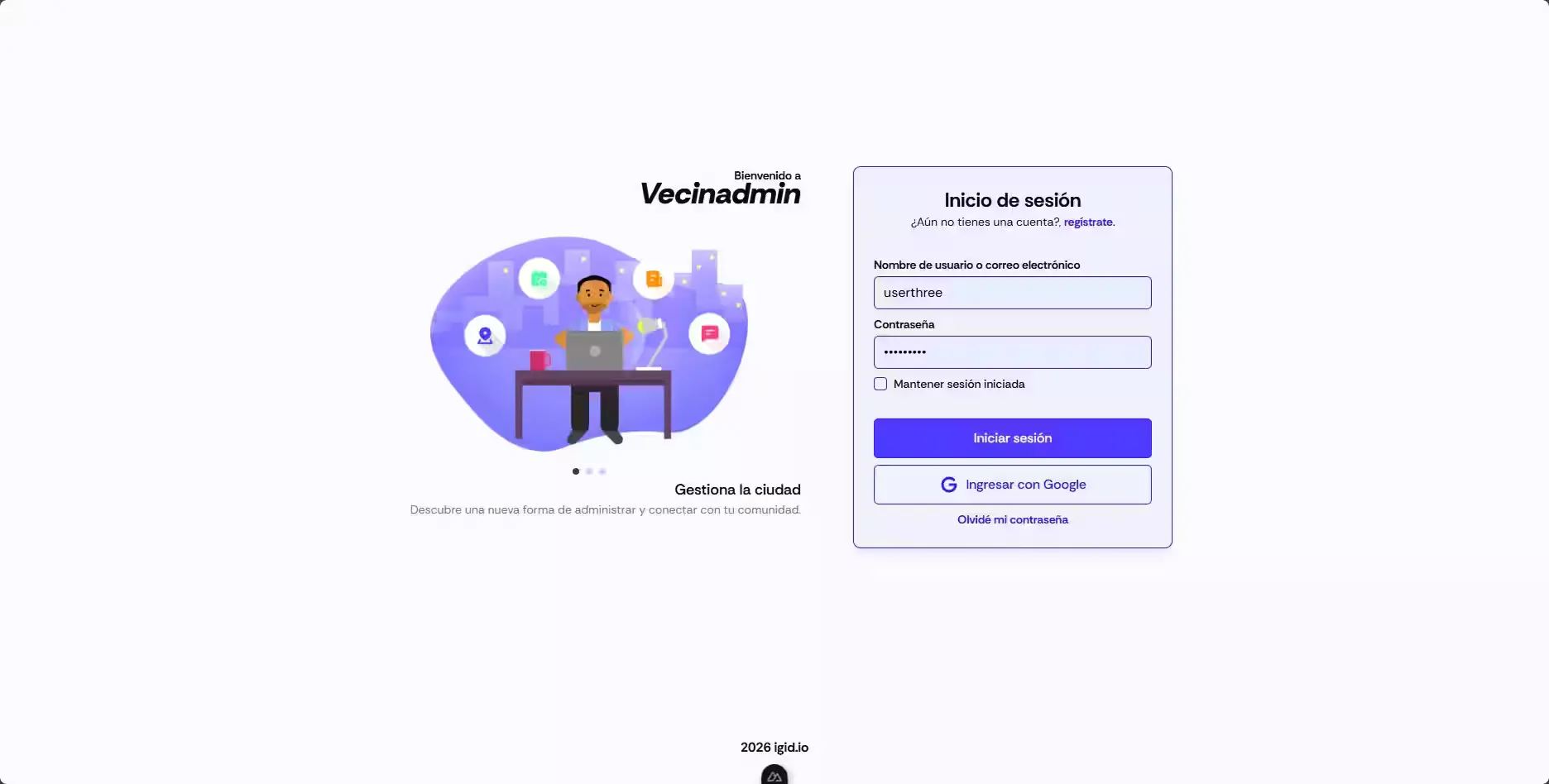
Vecinadmin Client is the frontend application of the Vecinadmin system, providing a modern, intuitive and responsive UI for managing residential communities. It is a Single Page Application (SPA) built with Nuxt 4 that enables staff (staff) and administrative personnel (administrator, superuser) to interact with system features efficiently and pleasantly. The client consumes the REST API provided by the Vecinadmin server, enforces role-based access and provides differentiated interfaces depending on user type.
Technology stack
- Frontend
- TypeScript: Main language of the project
-
 Nuxt 4: User interface framework
 -
 Vue 3: UI framework
 -
 Vite: Fast build tool
 -
 Pinia: State management for global data handling
-
- UI
-
 Tailwind 4: Utility-first CSS framework
 - Nuxt UI: Prebuilt and reusable components
-
 Iconify: Icon library
-
- Validation
-
 Valibot: Schema validation for TypeScript
-
- Communication
- Socket.IO (WebSockets): Real-time communication between client and server
-
- Date formatting
-
 Temporal Polyfill: Polyfill for 'Temporal' API support
 - 🕰️ Luxon: Date and time handling
-
- Utilities
-
 Schedule-X: Library for handling schedules and calendars
 -
 Tiptap: Rich text editor
 -
 Google Maps API: Maps and geolocation integration
 -
 Apache ECharts: Data visualization library for interactive charts
 - 🔳 QRCode: QR code generation
- ✂️ Vue Advanced Cropper: Component for advanced image cropping
-
Features
- Authentication flows: The application implements full authentication flows, including login, register, password recovery and account verification. It uses JWT to keep sessions secure and persistent. A global middleware checks credentials on each navigation, automatically redirecting unauthenticated users.
- Role-based personalized dashboard: Each user type (
staff,administrator,superuser) has access to a personalized dashboard showing relevant information and quick links to the features they can use according to their permissions. - Visual zone management: Complete interface to create, edit and view residential zones with rich descriptions, staff assignment with granular permissions and active residents management. Zones can be activated or deactivated and are displayed with attractive cards. Staff members who created a zone can assign permissions to other staff members to moderate forums, manage news, administer common spaces and coordinate meetings.
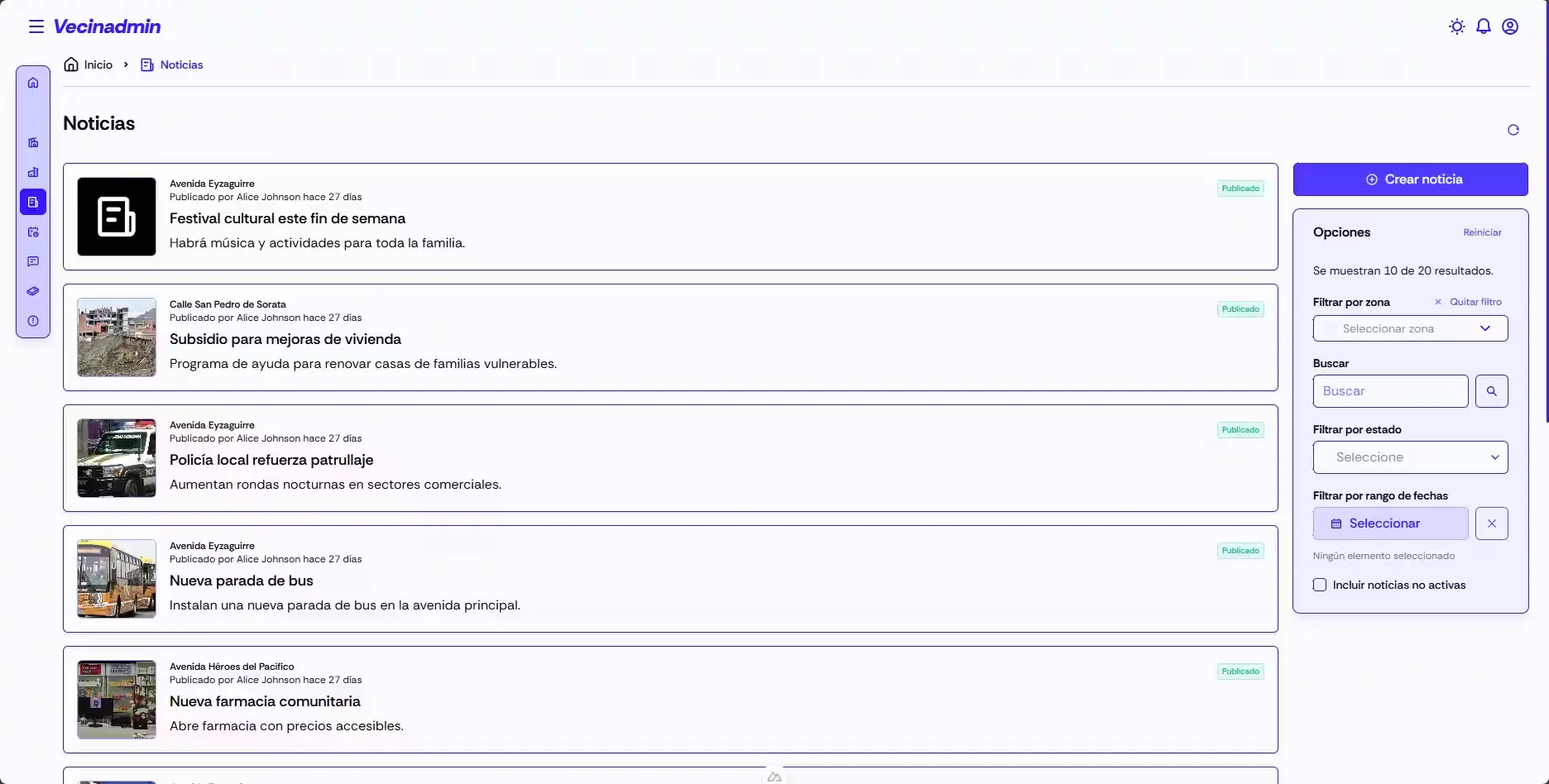
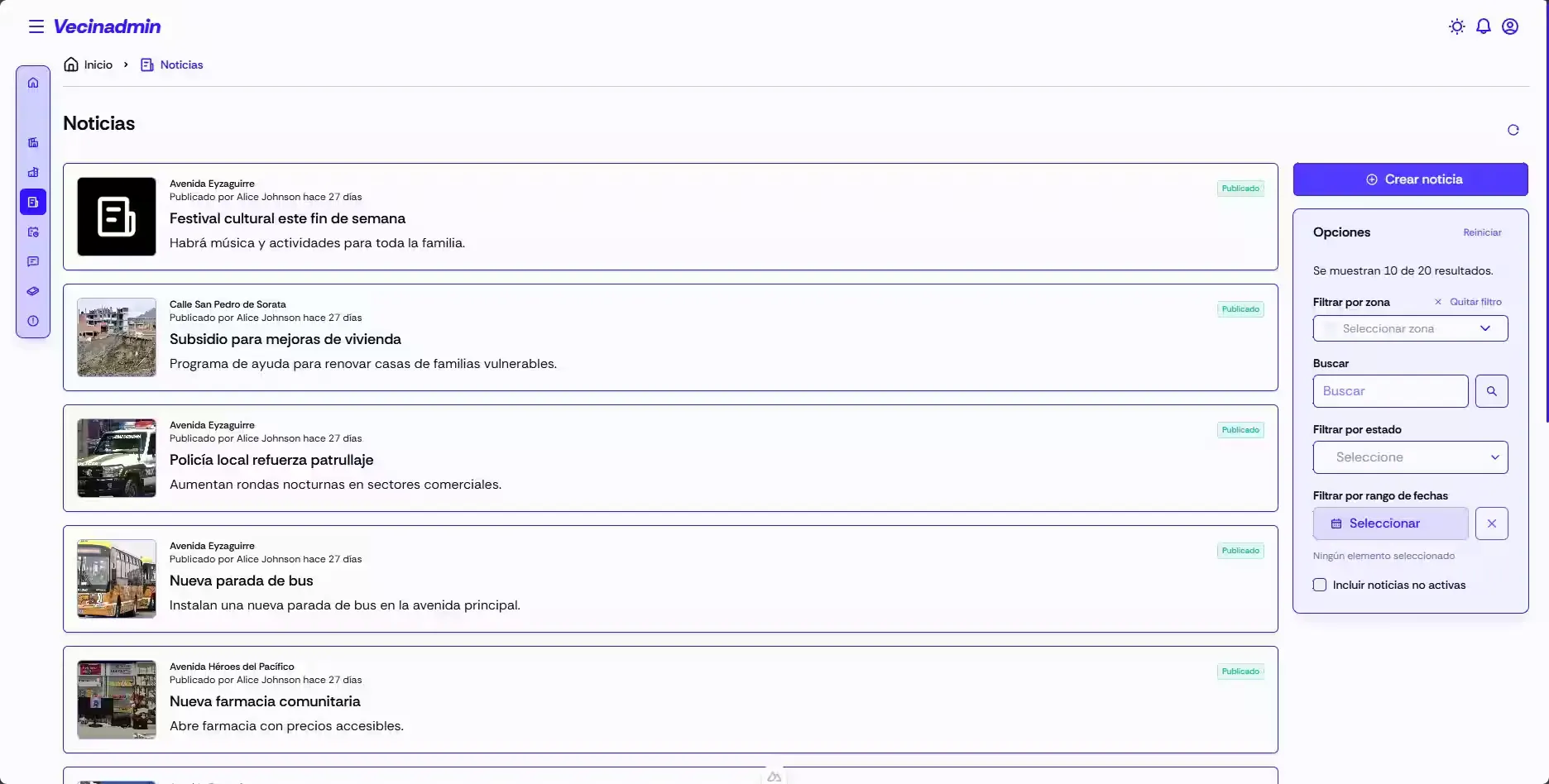
- News module with rich editor: Staff members can create news using a rich text editor (Tiptap) that supports advanced formatting, image insertion and links. News items are shown in a chronological feed with moderation options for other staff members and administrators.
- Services directory with interactive maps: Visual catalog of local services with Google Maps integration to show locations, opening hours and contact details.
- Community forum with comments: Discussion area where users can create topics with a rich text editor, view threads ordered by date or popularity, comment on existing discussions and see counters for views and comments. Administrators can enable or disable specific forums and moderate inappropriate content; authorized staff members can close topics.
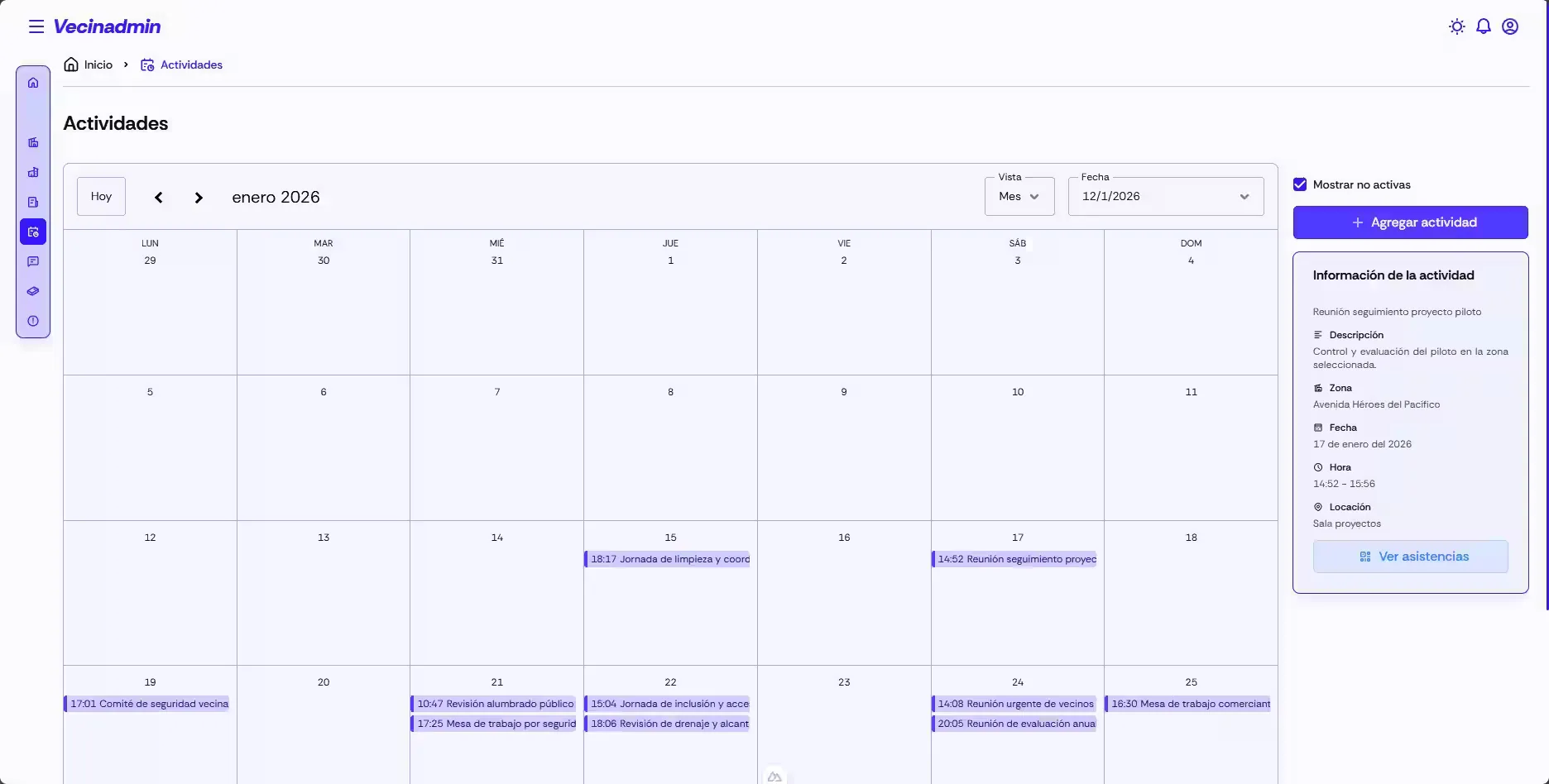
- Meetings & events calendar: View community meetings on an interactive calendar with Schedule-X, offering multiple views (day, week, month). Users can view meeting details, RSVP visually, cancel meetings, and more.
- Alerts panel: Users have quick access to an interface to view alerts posted by residents (
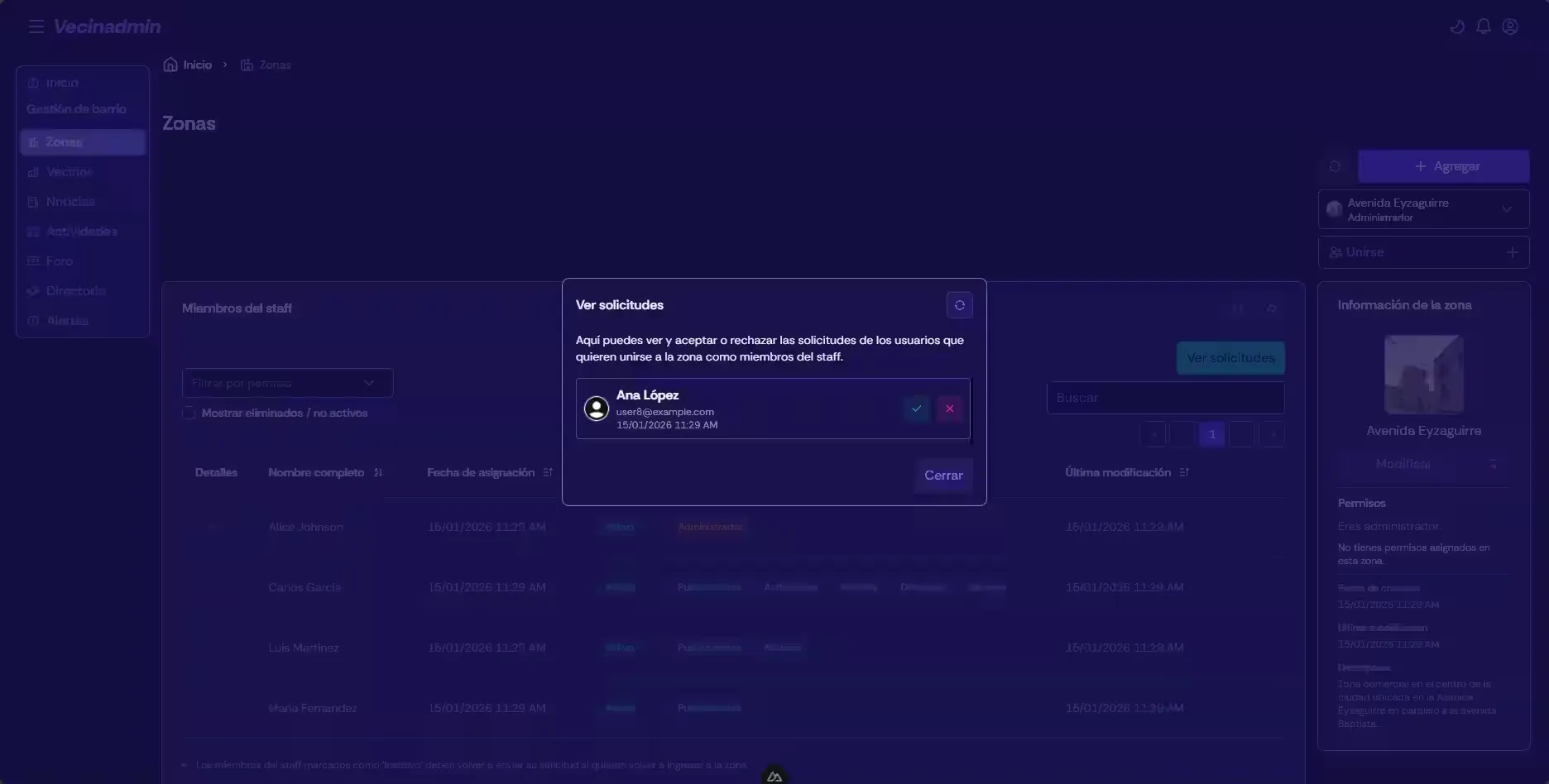
residents) with vital information for incident follow-up. - Staff request management: Portal to manage requests from people interested in joining the staff, where administrators can review information and approve or reject requests. Upon approval, the requester receives an email with a link to complete their registration.
- Real-time notifications: Notification center with dropdown preview, classification by type (
info,warning,error,success) and quick actions to mark as read or delete. WebSocket updates the center in real time without page reloads. - Responsive UI: The application is fully responsive, ensuring an optimal experience on desktop, tablet and mobile devices.
- Mobile app download redirect: The website is targeted to
staff,superuserandadministratorusers;resident-level users trying to access the web app are redirected to a page to download the native mobile app, available on Google Play. - Light & dark themes: The application supports both light and dark modes, allowing users to choose their preferred viewing mode for greater comfort.
Modules
- pages/: Application automatic routes.
- components/: Reusable Vue components organized by domain.
- store/: Pinia stores for state management.
- composables/: Reusable composables.
- layouts/: Application layouts.
- middleware/: Global middlewares.
- plugins/: Nuxt plugins, including API config for fetch, authentication for session state, socket for WebSocket, echarts_theme for chart themes, and others.
- interfaces/: TypeScript data type definitions.
- validations/: Validation schemas using Valibot and regular expressions.
- utils/: General utilities.
- data/: Static data and configuration.
- assets/: CSS and static resources.
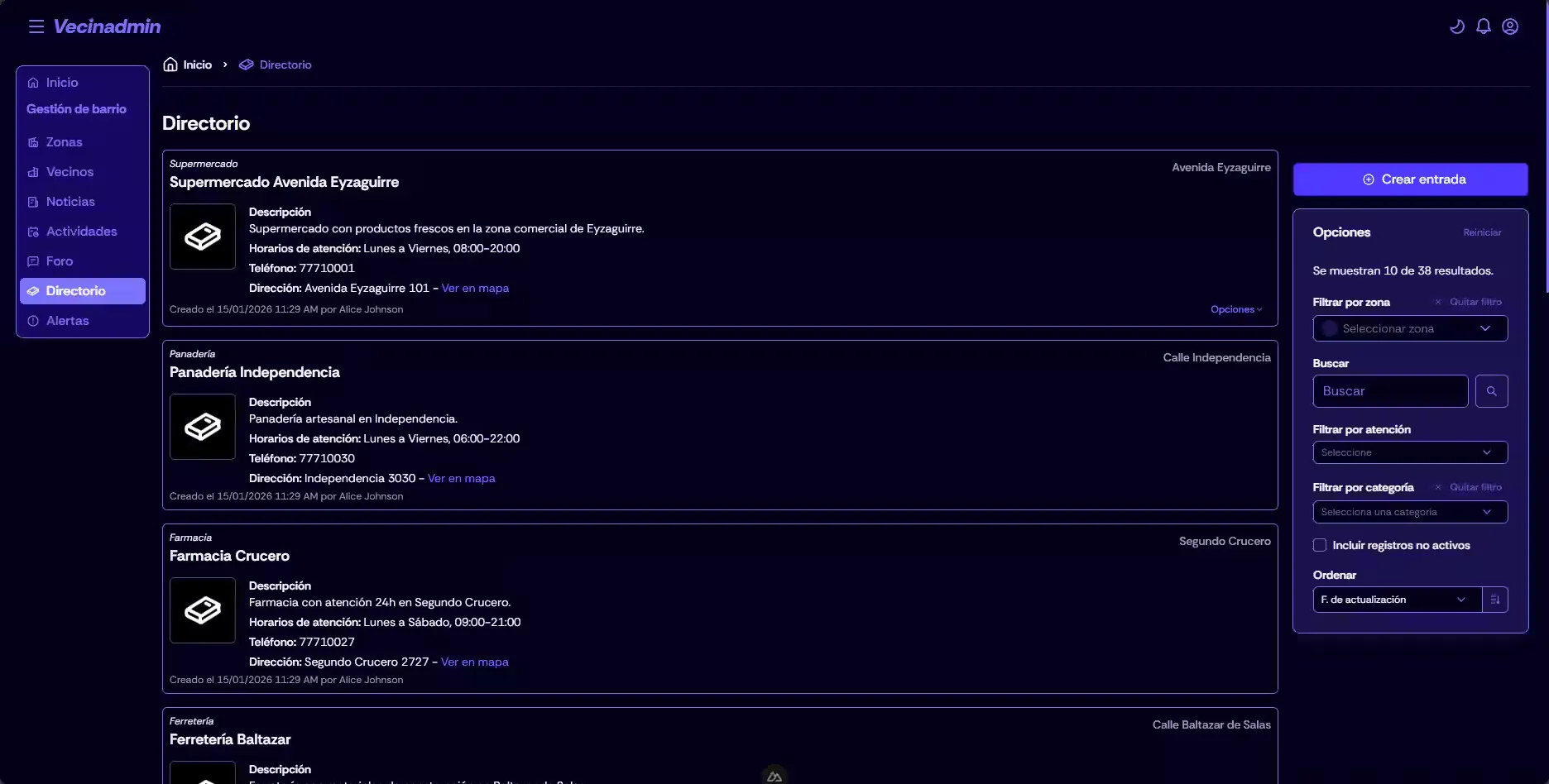
Prerequisites
- Node.js (v18 or higher)
- npm
- Running and accessible Vecinadmin Server instance
Installation and running
-
Clone the repository:
git clone https://github.com/igidio/vecinadmin_client.git cd vecinadmin_client -
Install dependencies
npm install -
Environment configuration: Rename the sample env file and configure your variables, such as the Vecinadmin server address and required API keys:
cp .env.template .env -
Start the application:
npm run dev
The application will be available at 🔗http://localhost:5173 (or the address shown in the terminal).
Test accounts
To test the application you can use the following user accounts created by the server seeders:
| Role | Username | Password | |
|---|---|---|---|
superuser | userone | user1@example.com | password1 |
administrator | usertwo | user2@example.com | password2 |
staff | userthree | user3@example.com | password3 |
resident | userfour | user4@example.com | password4 |
Vecinadmin Mail Service
Vecinadmin Mail Service is the microservice specialized in sending emails for the Vecinadmin platform. It acts as an independent, decoupled service that manages all email-related logic, processing send requests via asynchronous communication over NATS and exposing HTTP endpoints for direct sends.
The microservice handles several critical system email types: password recovery, account verification, invitations for staff and administrators, and request rejection notifications. Its lightweight Fastify-based architecture ensures high performance and low latency, while NATS integration enables horizontal scalability and full decoupling from the main server.
Technology stack
- Backend
- TypeScript: Main language of the project
- Node.js: Server runtime environment
-
 Fastify: Web framework for Node.js
-
- Email services
-
 Nodemailer: Library for sending emails
 - Fastify Mailer: Fastify plugin for sending emails
-
- Communication
- NATS: Messaging system for inter-service communication
-
- Validation
- 🥳 Joi: Schema validation
- Utilities
- 🌿 Dotenv: Environment variable management
-
 Pino Prettier: Tool to format Pino logs
Features
- Email sending via NATS: The microservice subscribes to a specific NATS channel to receive email send requests from the main Vecinadmin server. Each message contains the information required to process the email (type, recipient, dynamic data) and the microservice generates and sends the corresponding email.
- HTTP endpoints for direct sends: In addition to asynchronous processing via NATS, it exposes a POST /send-email endpoint that allows direct sends through HTTP requests. Useful for testing, debugging or scenarios that require synchronous send status.
- Dynamic HTML template generation: Uses predefined HTML templates for each email type (password recovery, account verification, staff/administrator invitations and rejection notices) and populates them dynamically with the provided data.
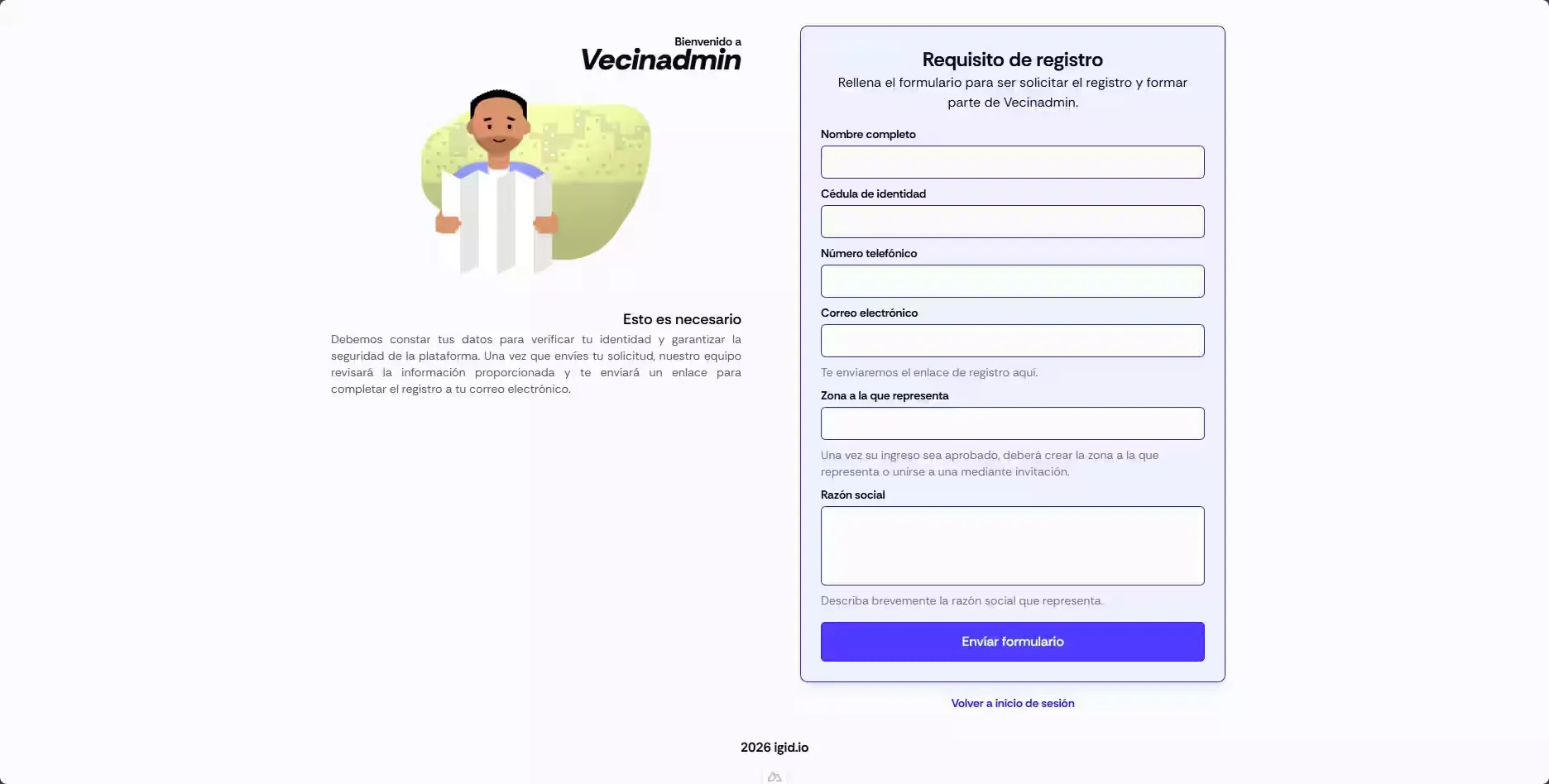
Modules
- index.ts: Main file that initializes Fastify, configures the mailer plugin, establishes connection with NATS, defines the mail subscription and exposes the HTTP send endpoint.
- envs.ts: Environment variables management using Dotenv.
- data.ts: Defines types and templates for emails.
Prerequisites
- Node.js (v18 or higher)
- npm
- Running and accessible NATS instance reachable from the main Vecinadmin server
- SMTP service configuration for sending emails (can be an external provider like SendGrid, Mailgun, or a self-hosted SMTP server)
Installation and running
-
Clone the repository:
git clone https://github.com/igidio/vecinadmin_mailsv.git cd vecinadmin_mailsv -
Install dependencies:
npm install -
Configure environment variables: Rename the sample env file and configure your variables, such as Vecinadmin addresses (server and client), SMTP credentials, and email headers:
cp .env.template .env -
Start the application:
npm run dev
The service will be available at 🔗http://localhost:5173 (or the address shown in the terminal).
AppVecina
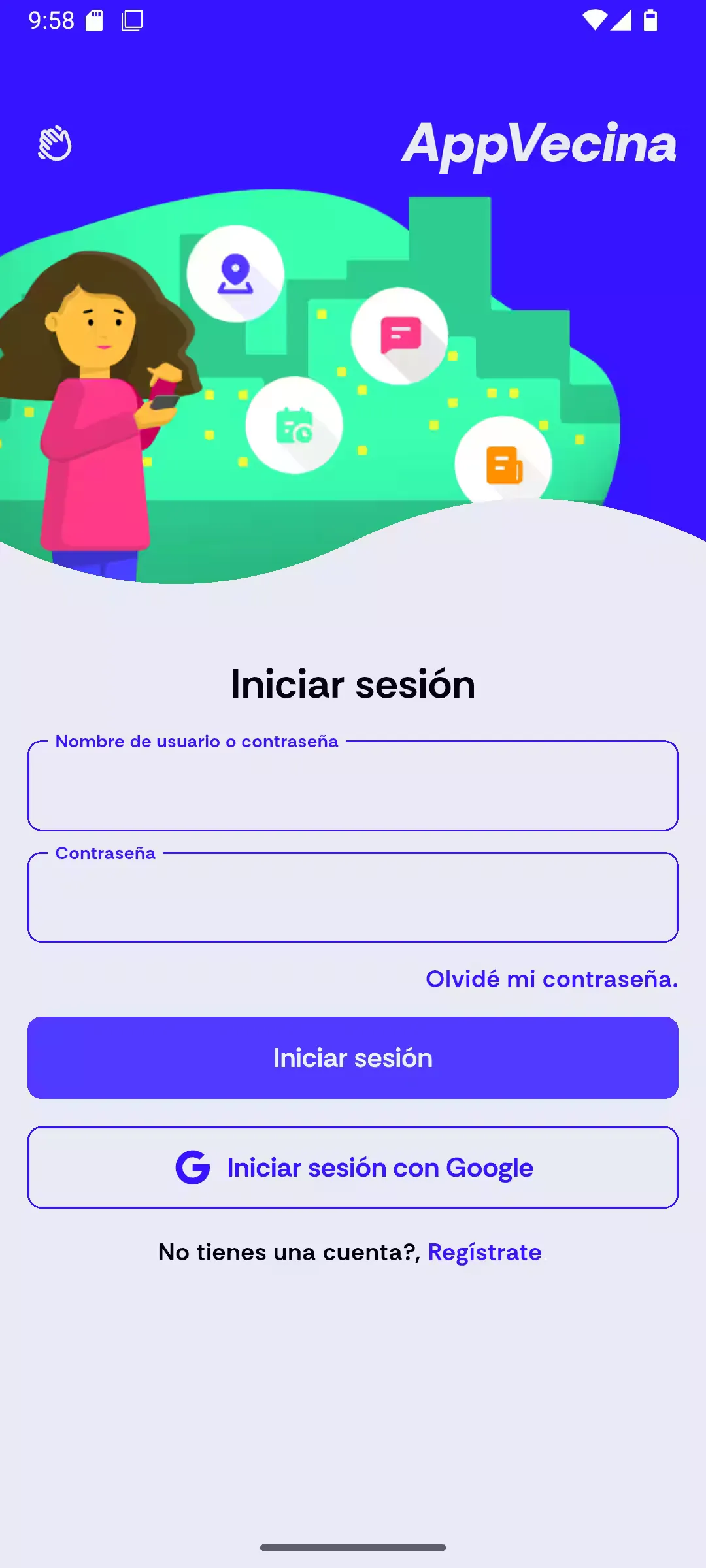
AppVecina is the native mobile application in the Vecinadmin ecosystem, designed to provide residents (residents) an optimized and accessible experience to interact with their community. Built with Flutter, AppVecina is intended to be the primary touchpoint between residents and their community, allowing them to stay informed, participate in discussions, receive alerts, RSVP to events and coordinate with neighbors easily from their mobile device.
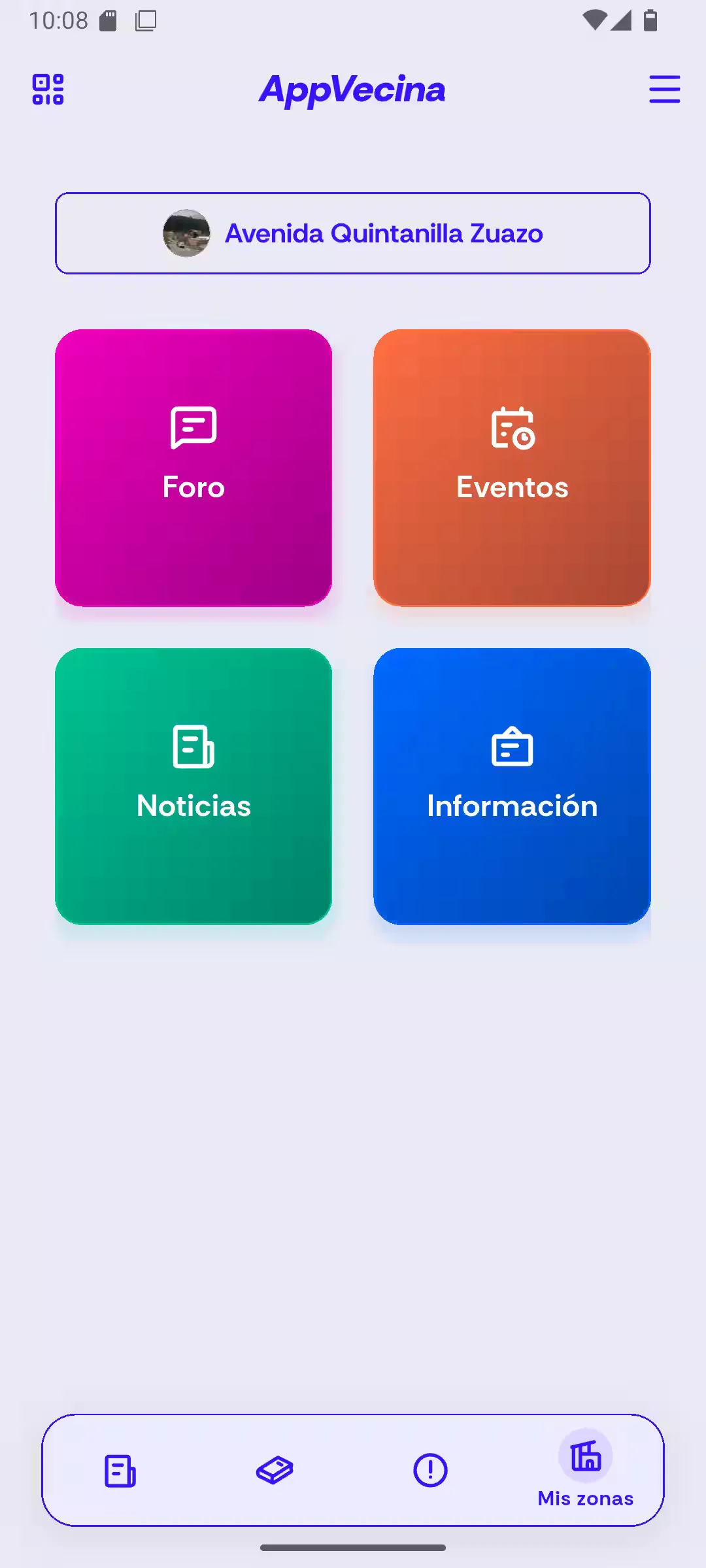
Technology stack
- Mobile
-
 Dart: Programming language
 -
 Flutter: Framework for mobile app development
-
- State management
-
 Riverpod: State management for Flutter
-
- Navigation
- Go Router: Routing management
-
- Data fetching
- Dio: HTTP client for Dart and Flutter
- Socket.IO (WebSockets): Real-time communication between client and server
-
- UI
-
 Google Fonts: Custom font integration
 - Flutter SVG: Support for SVG graphics
- Iconify: Icon library
-
- Local persistence
- Shared Preferences: Local data storage
-
- Link & URL handling
- 🔗 app_links: Support for deep linking
- URL Launcher: Launching external URLs
- Utilities
- 🌿 flutter_dotenv: Environment variable loading
- Google Maps API: Maps and geolocation integration
- 🍞 fluttertoast: Displaying toast messages
- Flutter Launcher Icons: App icon generation
- image_picker: Library for picking images from gallery or camera
- ✂️ image_cropper: Library for cropping selected images
- 📱 mobile_scanner: Library for scanning QR codes with the device camera
- 📄 flutter_html: Library for rendering HTML in Flutter
- intl: Library for internationalization and formatting of dates, numbers, and messages
- 🔄 restart_app: Library for programmatically restarting the app
Features
- Full authentication with session persistence: Robust authentication supporting credential login, password recovery via deep links from emails and session persistence using locally stored JWT. The app automatically checks authentication status on startup and redirects to the login screen if the user is not authenticated.
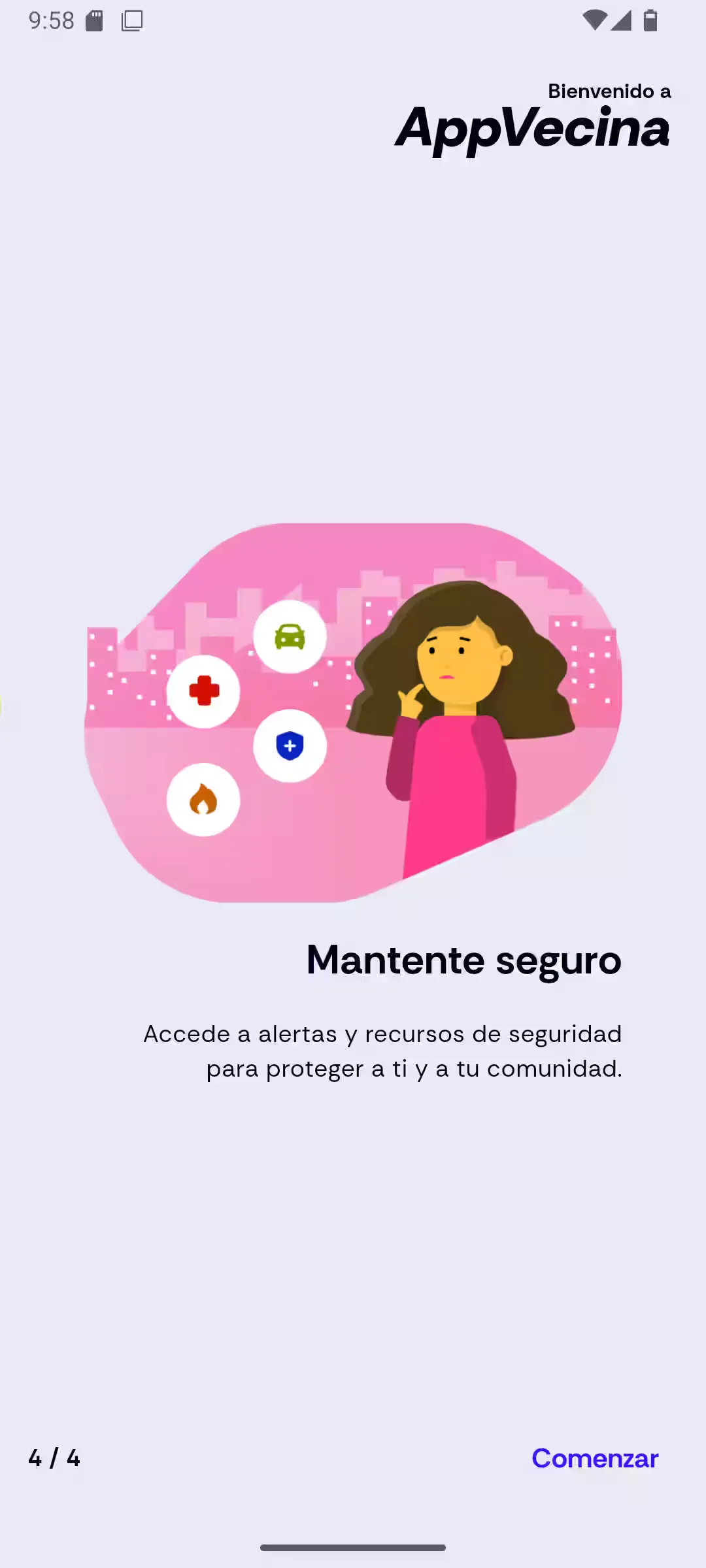
- Onboarding: AppVecina includes an interactive onboarding flow for new users, showcasing key app features through informative and attractive screens before accessing login.
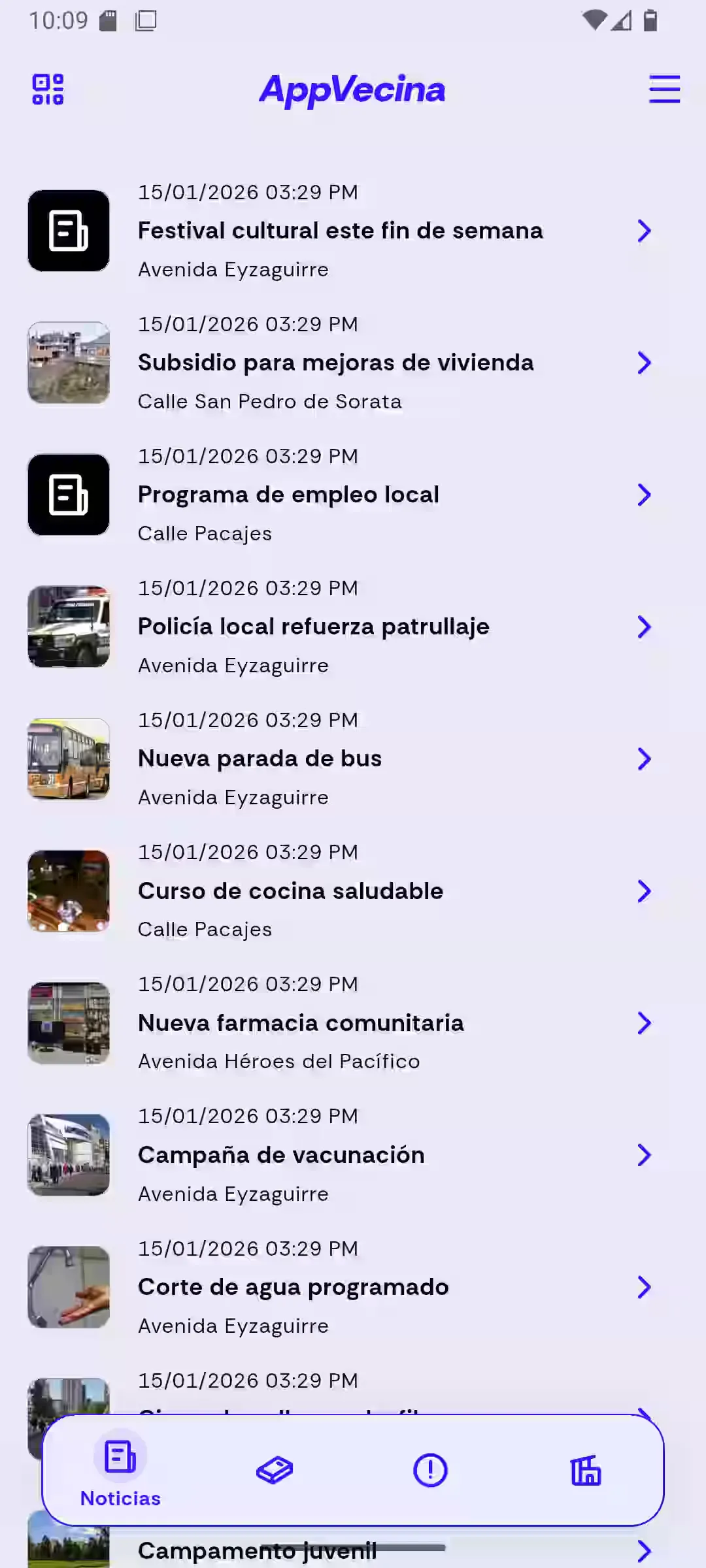
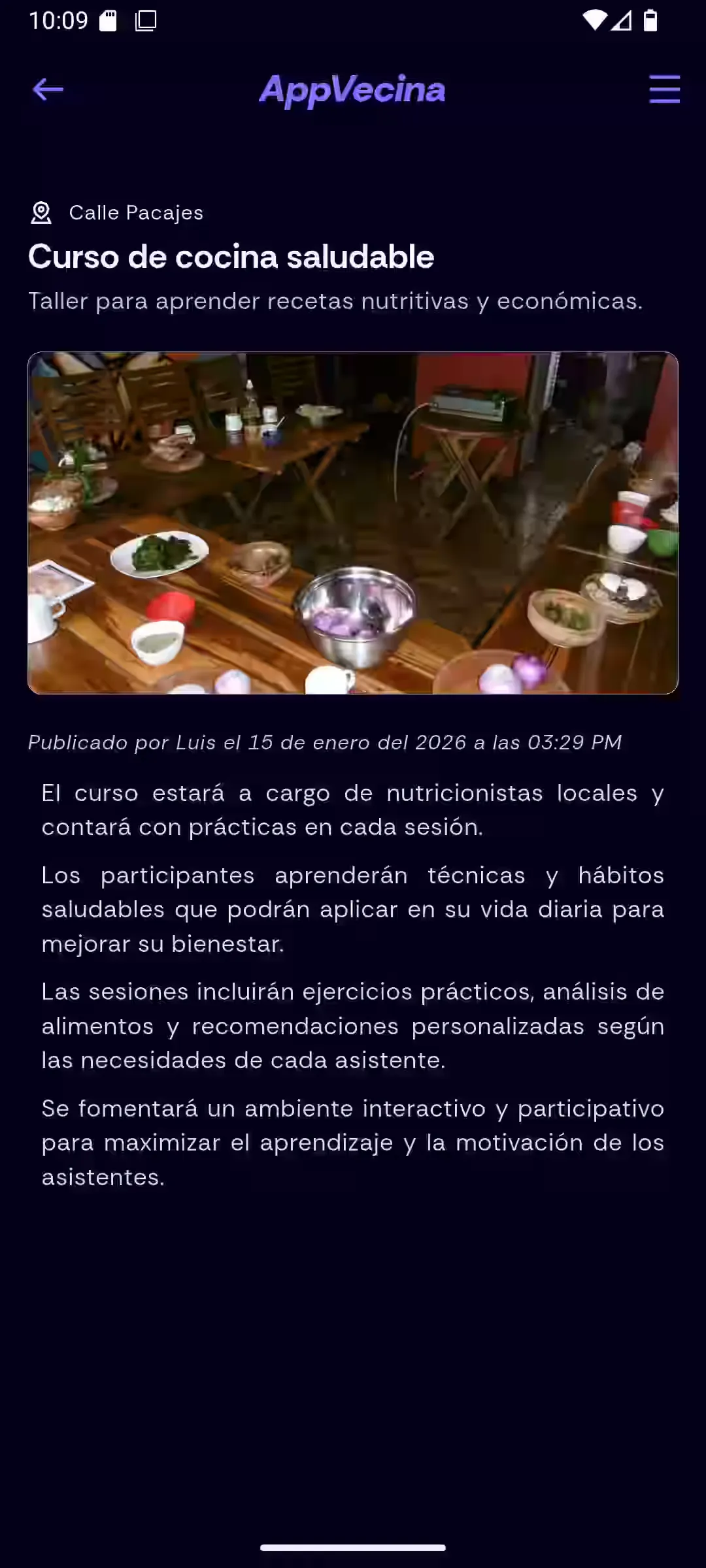
- News feed: Residents can access a news feed relevant to their residential zone, with rich content (images, links) ordered chronologically. News content is rendered with HTML.
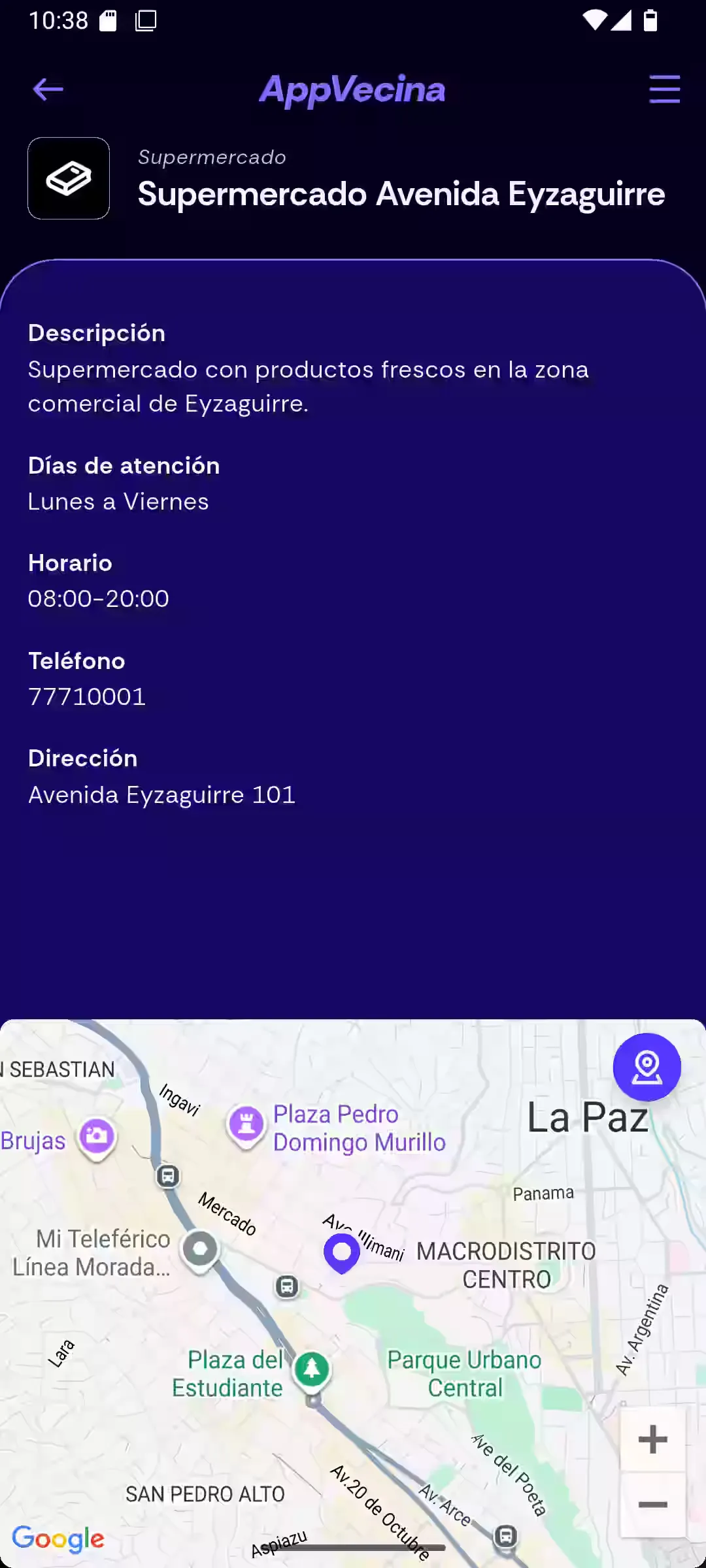
- Services directory with Google Maps integration: Interactive catalog of local services with detailed information and Google Maps location markers.
- Community forums: Space for residents to participate in community discussions, with threads organized by date and popularity and the ability to comment on existing discussions.
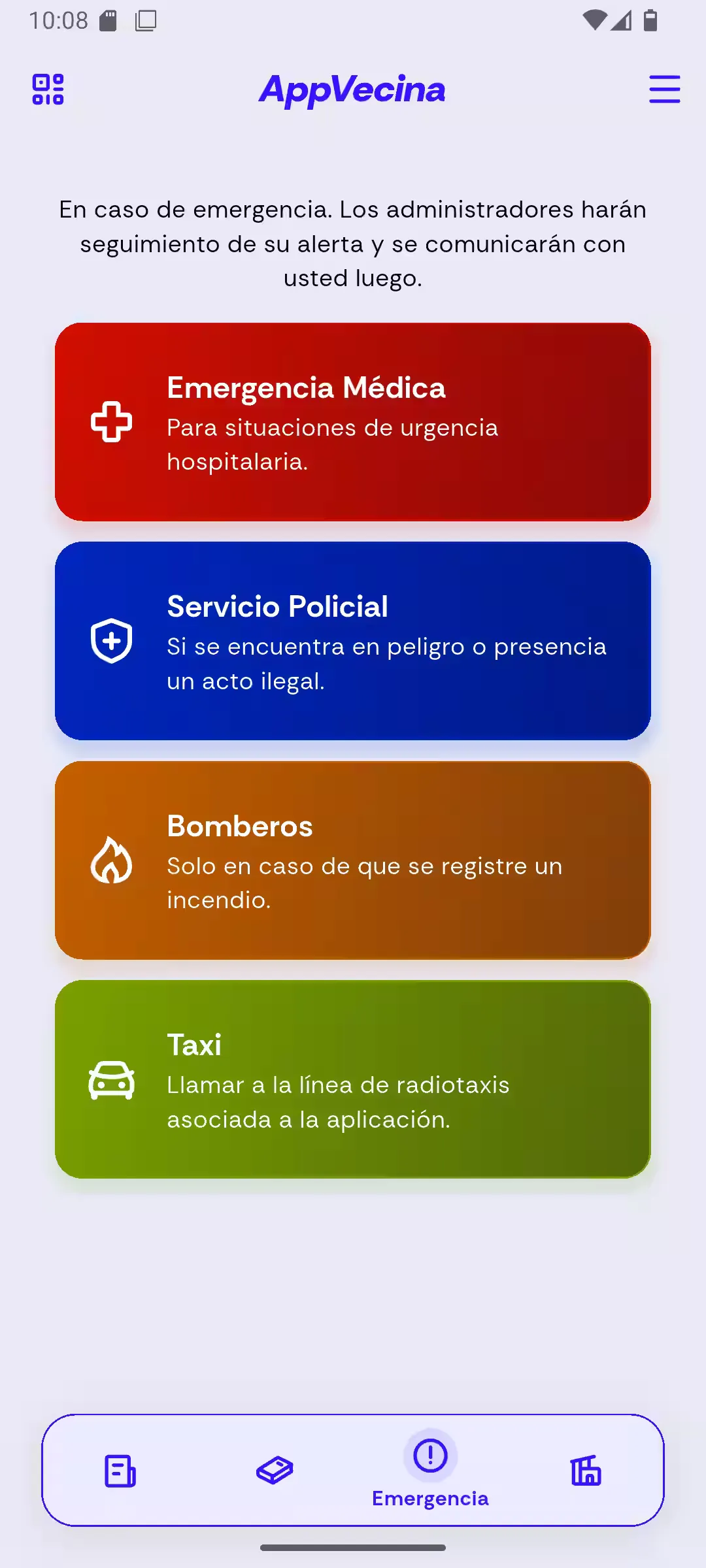
- Emergency alert system with quick buttons: Critical emergency interface with large, distinctive buttons to report different urgent situations: medical emergencies, security incidents, fire risks and taxi requests.
- Real-time notifications center: Notifications widget with badge counter that shows notifications received in real time via Socket.IO.
- Profile management with photo editing: Profile screen where users view and edit their information. Photo update flow includes selection from gallery or camera, image cropping and optimization before uploading to the server.
- QR-based meeting attendance confirmation: Residents can confirm attendance to community meetings by scanning a QR code provided by administrative staff, simplifying event organization and coordination.
- Settings & theme preferences: In the side panel users can configure app preferences such as theme (light/dark), access settings or sign out.
- Form validation: Validators on authentication, profile and other forms that verify correct formats before sending data to the server, providing immediate visual feedback on errors.
Modules
The app organization follows a feature-first architecture:
-
core/: Global configuration, themes, styles and shared utilities:
- config/: Router with
go_routerand navigation routes. - data/: Static data, constants.
- handlers/: Error and HTTP response handlers.
- layouts/: Reusable layouts.
- models/: Data models.
- providers/: Riverpod providers.
- requests/: Generic HTTP request functions.
- service/: Services such as API with Dio, deep linking, image handling.
- storages/: SharedPreferences management.
- themes/: Light and dark themes.
- utils/: General utilities.
- widgets/: Reusable widgets
- config/: Router with
-
feature/: Domain-organized features:
- welcome/: Welcome / onboarding screen
- auth/: Authentication
- home/: Main dashboard
- news/: News and announcements
- directory/: Local services directory
- forum/: Community forum
- events/: Meetings and events
- alert/: Emergency alerts
- notifications/: Notifications center
- zones/: Assigned zones management
- options/: Settings and preferences
- scanner/: QR scanner
- forbidden/: Access denied screen
Prerequisites
- Flutter SDK 3.7.x or higher
- Android Studio or Visual Studio Code with the Flutter extension installed
- An Android device or emulator configured for testing
- Running and accessible Vecinadmin Server instance for the mobile app
Installation and running
-
Clone the repository:
git clone https://github.com/igidio/appvecina.git cd vecinadmin -
Configure environment variables: Copy
📄.env.templateto📄.envand set the Vecinadmin server address (if deployed on a different port than3000).cp .env.template .env # Edit the .env file with your values -
Run the app in development mode:
flutter run
License
This project is licensed under the MIT License. See the 📄LICENSE.md file in the repositories for more details.