Seedlinker is an all-in-one Internet of Things (IoT) platform designed for the management, monitoring, and automation of greenhouse environments. The system implements a distributed architecture that decouples control logic (backend), user interfaces (web and mobile), and hardware execution, enabling efficient and scalable remote management of connected devices (ESP32 and ESP8266).
Problem it solves
Farmers and greenhouse managers need an accessible, visual way to control their crops, monitor environmental conditions, and automate tasks such as irrigation, ventilation, and lighting. Seedlinker provides a centralized solution that integrates sensors, actuators, and smart devices to optimize crop performance, reduce manual effort, and allow management from any device.
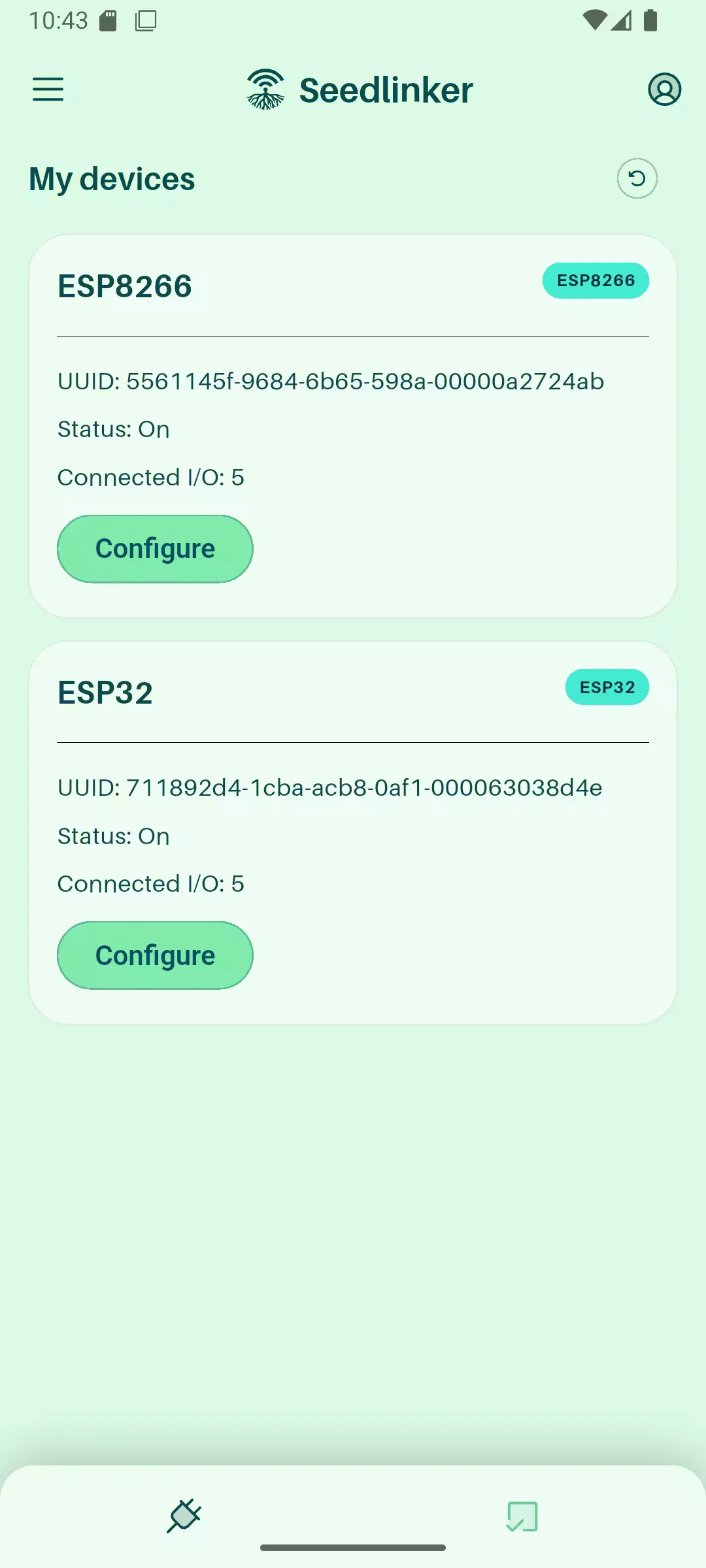
Seedlinker Server
Seedlinker Server is the core of the system, responsible for managing, controlling, and monitoring connected devices through a distributed architecture. The server communicates with IoT devices using the WebSocket protocol. Communication is bidirectional: it receives sensor data (temperature, humidity, water levels) for storage and visualization, and sends commands to actuators (water pumps, fans, lights) based on user interactions or predefined automations.
The server stores information in two different databases: a relational database (PostgreSQL) for user management and sensor records, and a non-relational database (MongoDB) for device configuration and automations. This separation helps optimize performance and scalability, ensuring efficient data management and fast responses to user actions.
Tech stack
- Backend
-
 Python: Programming language
 -
 FastAPI: Web framework for building APIs
 - 🦄 Uvicorn: ASGI server for web applications
-
- Database
-
 PostgreSQL: Relational database for data storage
 -
 MongoDB: NoSQL database for data storage
 -
 SQLModel: ORM for interacting with SQL databases
 - 🛵 Motor: Asynchronous driver for MongoDB in Python
-
- Authentication & Security
-
 Authlib: Authentication library for Python
 -
 PyJWT: JSON Web Tokens for secure authentication
 - 🔑 bcrypt: Library for password hashing
-
- Real-time Communication
- 🌟 Starlette (WebSockets): Support for real-time communication with WebSockets
- Data Validation
-
 Pydantic: Data validation and settings management
-
- API Documentation
-
 Swagger UI: User interface for API documentation and testing
-
Features
-
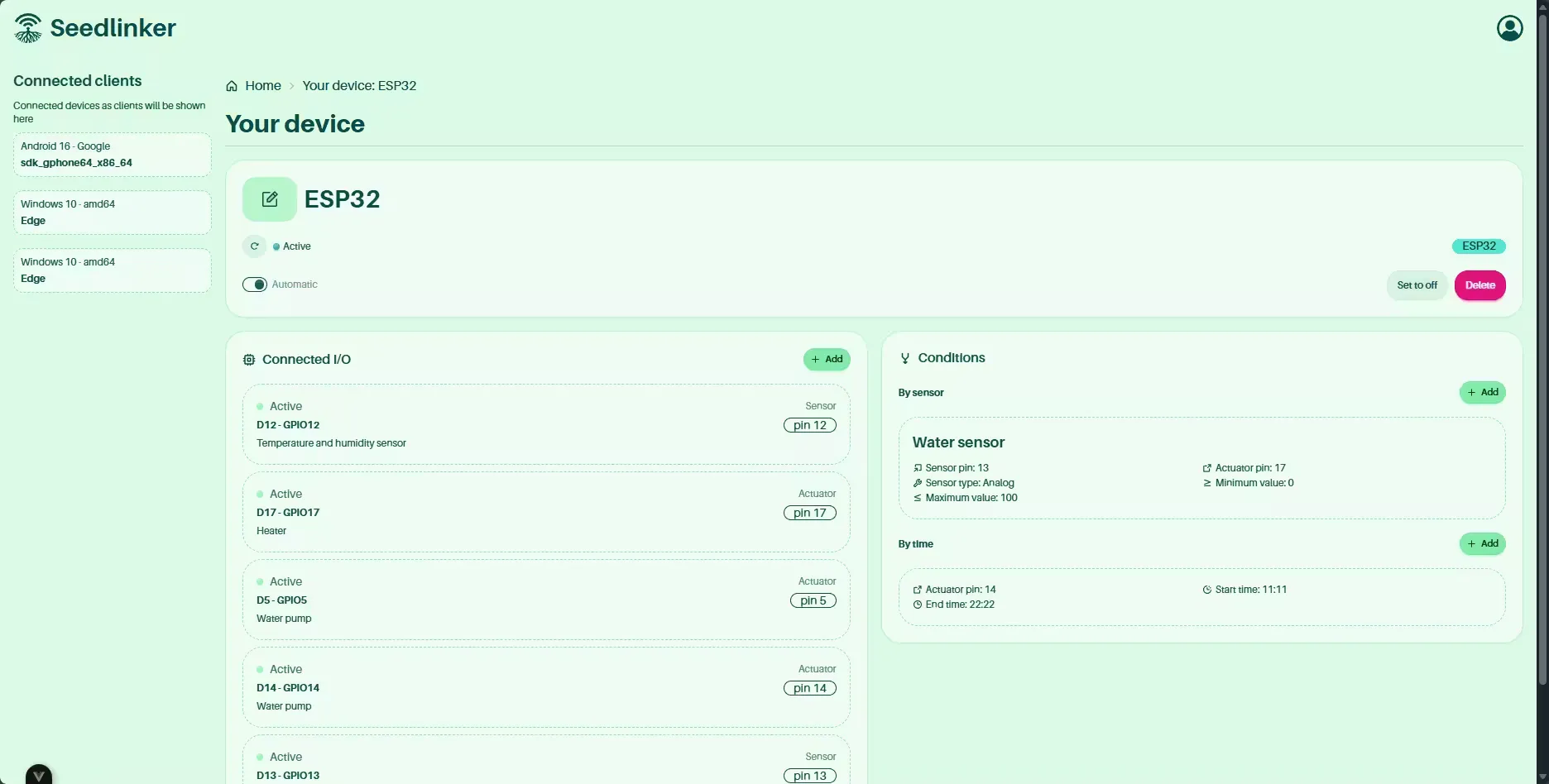
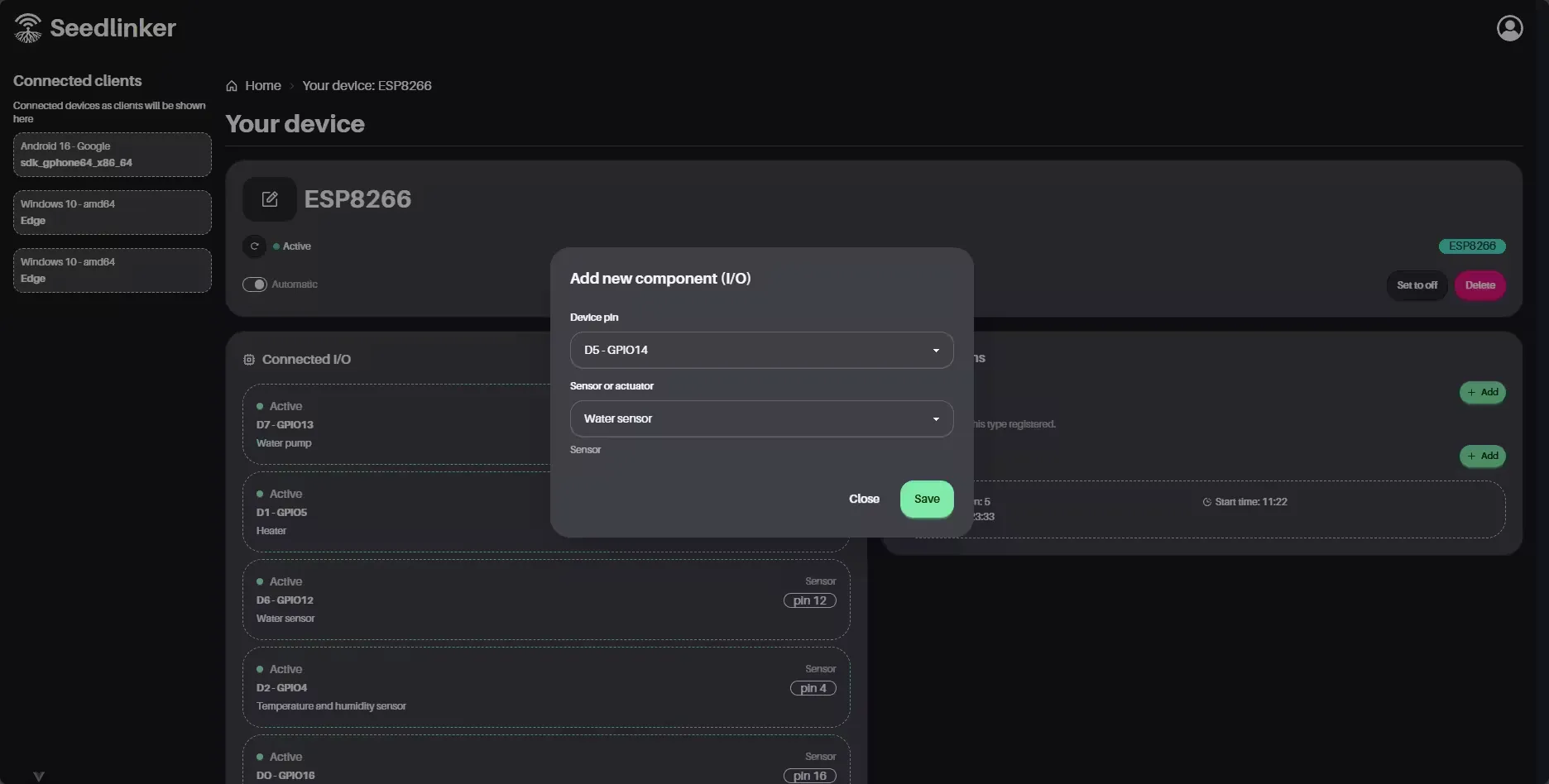
Device management: Allows users to register, configure, and control ESP32 and ESP8266 microcontrollers, assign custom names and pin roles, set conditions and operating modes.
-
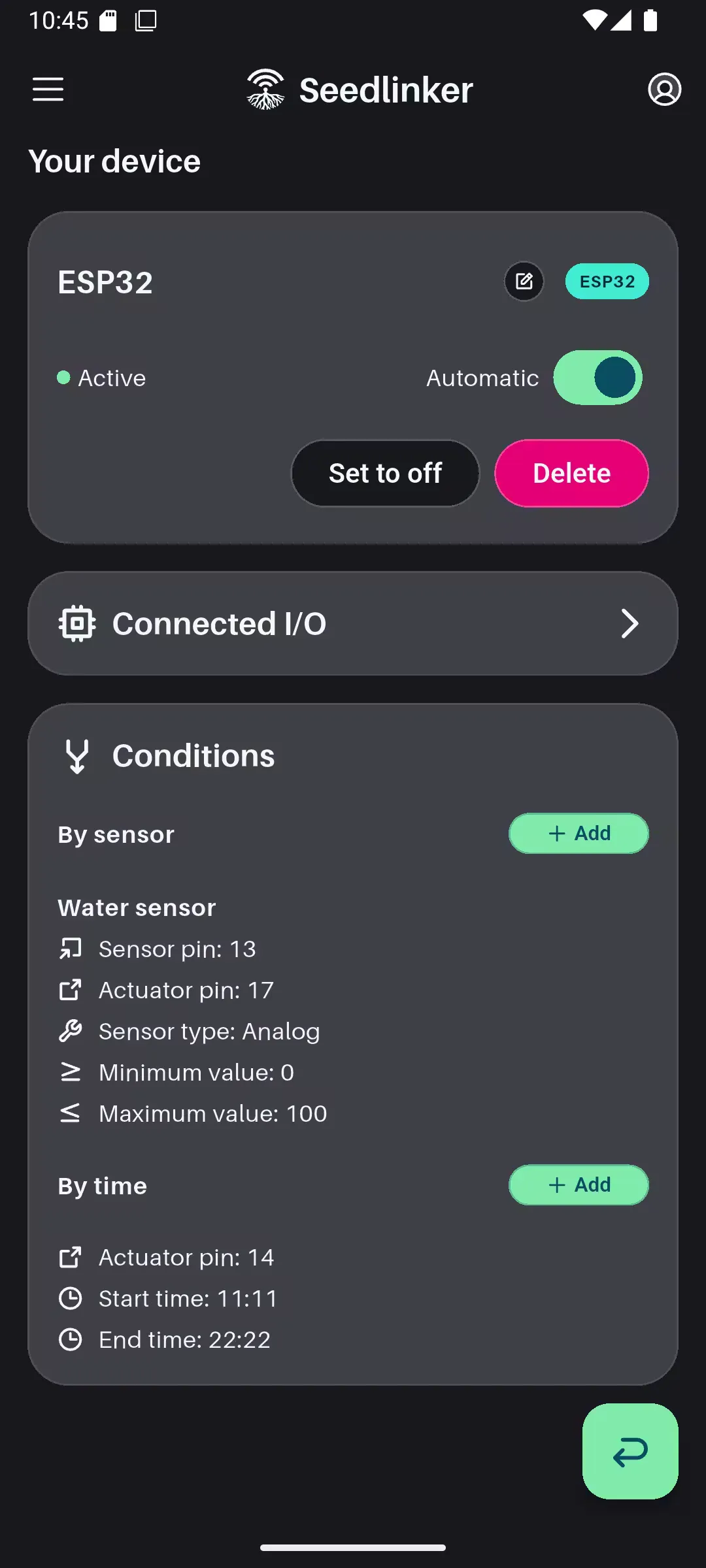
Smart automation engine: Implements an automation engine based on programmable conditions that supports two trigger types: sensor-based and time-based. Sensor-based conditions activate actuators when sensor values reach thresholds, while time-based conditions trigger actions at specific times. The system supports configurable value ranges and can operate in automatic or manual mode.
-
Bidirectional real-time communication: Through WebSockets, the server receives device state updates and sends control commands, enabling smooth, real-time interaction between users and their cultivation environment.
-
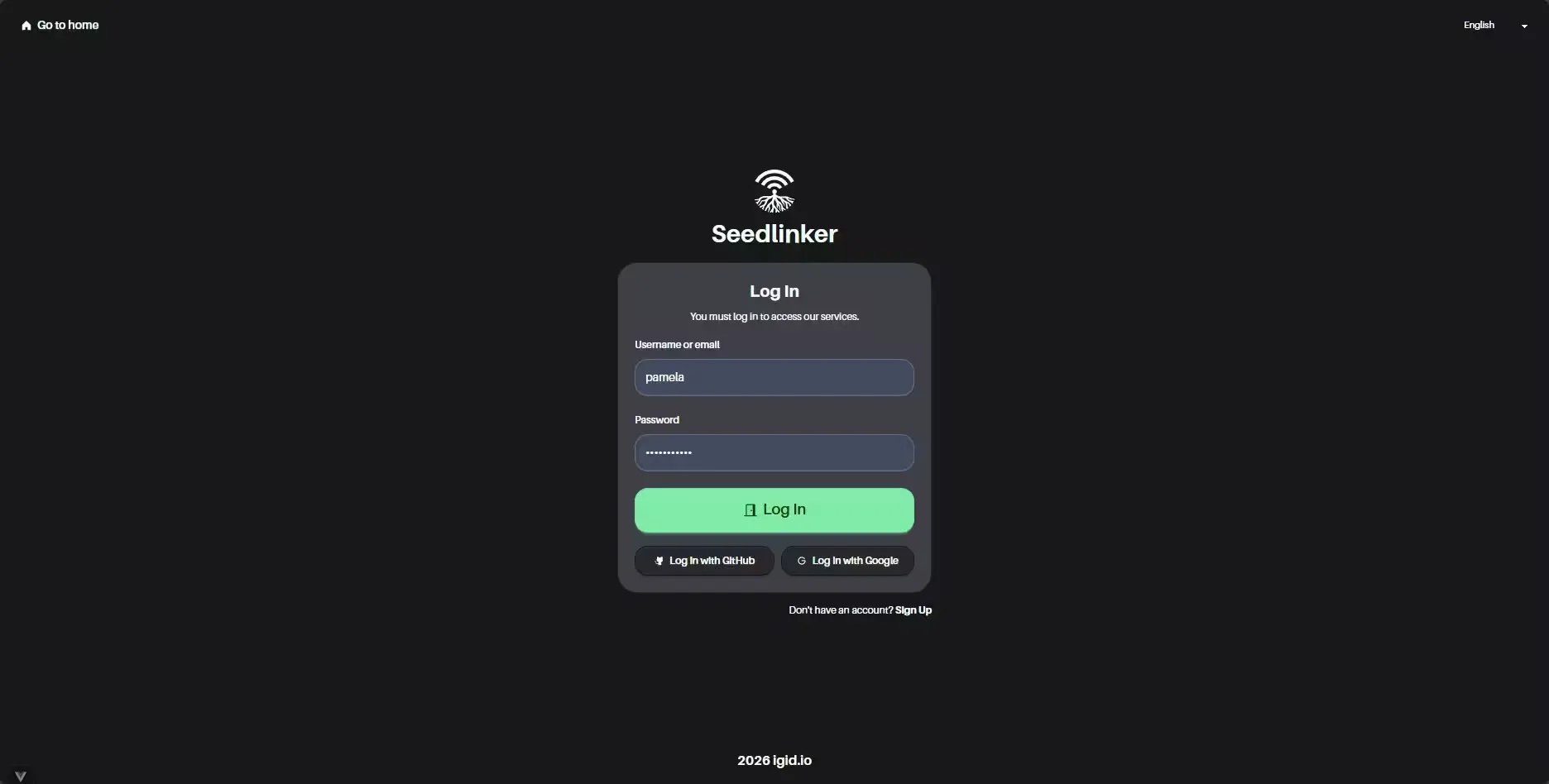
Multichannel authentication: Offers three authentication methods: classic email/password registration/login, Google social login, and GitHub social login, providing flexibility and security for users.
-
Dual JSON Web Tokens: Implements a dual JWT system with short-lived access tokens and refresh tokens for secure session renewal.
-
Advanced logging and history: Automatically records all device actions, including actuator state changes and sensor readings, storing timestamps and detailed logs.
-
Deep linking for mobile apps: Implements deep linking to open the mobile app from web URLs, facilitating OAuth flows and sharing data between web and mobile via custom URL schemes (
seedlinkerapp://). -
Local device identification: Allows identifying microcontrollers locally through a unique UUID, simplifying device pairing.
Modules
A high-level overview of the main server modules:
-
routes: API controllers. Divided into HTTP endpoints (📄devices.py, 📄collection.py) and persistent connection handling (📄websocket_route.py).
-
crud: Pure business logic separating database interactions from networking. Contains 📄device_crud.py (Mongo), 📄log_crud.py (Postgres), 📄user_crud.py (Postgres) and 📄websocket_crud.py (messaging logic).
-
models: Data structure definitions. Pydantic models for validation and SQLModel models for the ORM.
-
database: Asynchronous connection management for both engines.
-
dto: Data Transfer Objects for input/output validation in the API.
-
data: Mapping of device codes to names and types.
Data model
Relational database (PostgreSQL):
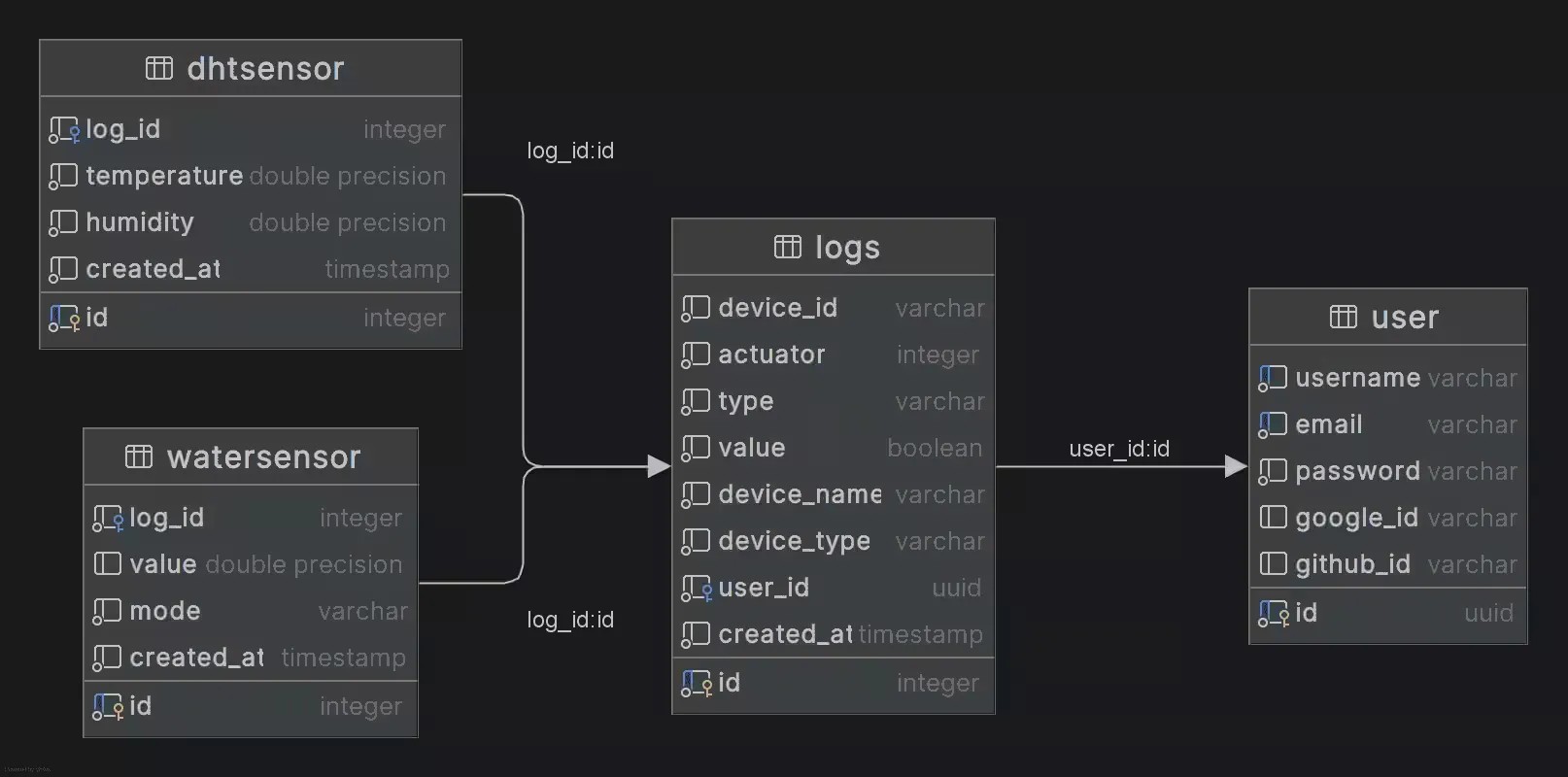
You can view the data model on diagrams.net: Seedlinker data model
Non-relational database (MongoDB):
{
	"uuid": "UUID",
	"user_uuid": "UUID",
	"name": "String | Null",
	"type": "ESP8266 | ESP32",
	"mode": "auto | manual",
	"status": "Boolean",
	"pins": [
		{
			"id": "String (8 chars)",
			"pin": "Integer (2-33)",
			"type": "input | output",
			"gpio": "String",
			"name": "temperature_and_humidity_sensor | water_sensor | heater | air_conditioner | water_pump",
			"value": "Integer (1-5)",
			"status": "Boolean"
		}
	],
	"conditions": {
		"by_sensor": [
			{
				"id": "String (8 chars)",
				"input_pin": "Integer",
				"input_mode": "Integer | Null",
				"value": "Integer",
				"output_pin": "Integer | Null",
				"min_value": "Integer (-999999999 to 999999999)",
				"max_value": "Integer (-999999999 to 999999999)"
			}
		],
		"by_time": [
			{
				"id": "String (8 chars)",
				"output_pin": "Integer",
				"start_hour": "Integer (0-23) | Null",
				"start_minute": "Integer (0-59) | Null",
				"end_hour": "Integer (0-23) | Null",
				"end_minute": "Integer (0-59) | Null"
			}
		]
	}
}
Prerequisites
- Python 3.10 or higher
- Docker (optional, for PostgreSQL and MongoDB)
Installation and running (backend)
-
Clone the repository:
git clone https://github.com/igidio/seedlinker_server.git cd seedlinker_server -
Database setup: If you have Docker installed, you can start PostgreSQL and MongoDB using:
docker compose up -d -
Environment variables: Copy
.env.templateto.envand fill in the required values for database connections and other parameters.cp .env.template .env # Edit .env with your values -
Install Python dependencies:
pip install -r requirements.txt -
Start the server:
python run.py
If everything is configured correctly, the server should be running at 🔗http://localhost:8000 and ready to accept connections from IoT devices and clients.
Seedlinker Web Client
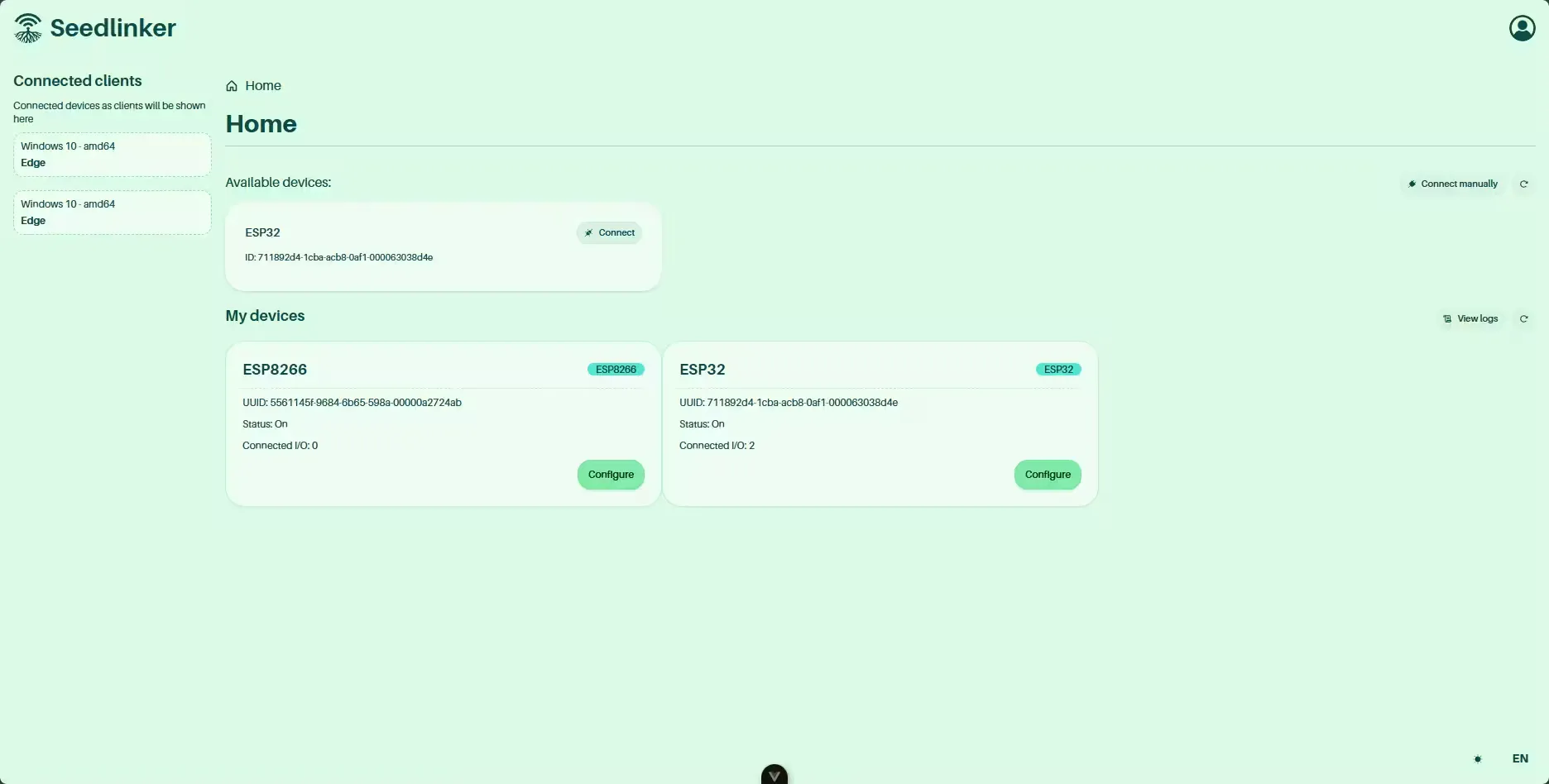
Seedlinker Web Client is a progressive web application that serves as the user interface for the Seedlinker greenhouse IoT ecosystem. It gives users an intuitive and responsive platform to monitor and control connected devices, visualize real-time data, configure automations, and manage ESP32/ESP8266 microcontrollers from any browser.
Tech stack
- Frontend
-
 TypeScript: Main language of the project
 -
 Vue 3: UI framework
 -
 Vite: Fast build tool
 -
 Pinia: State management for global data handling
-
- UI
-
 Tailwind 3: Styling framework
 -
 daisyUI: Prebuilt and reusable components for Tailwind CSS
-
- Data fetching
-
 Axios: HTTP client for API requests
-
- Internationalization
- Vue I18n: Multilanguage support
-
- Utilities
- 🕰️ Luxon: Date and time handling
-
 Chart.js: Data visualization library for charts
- Development Tools
-
 ESLint: Linting tool to maintain code quality
 -
 Prettier: Code formatter to keep a consistent style
-
Features
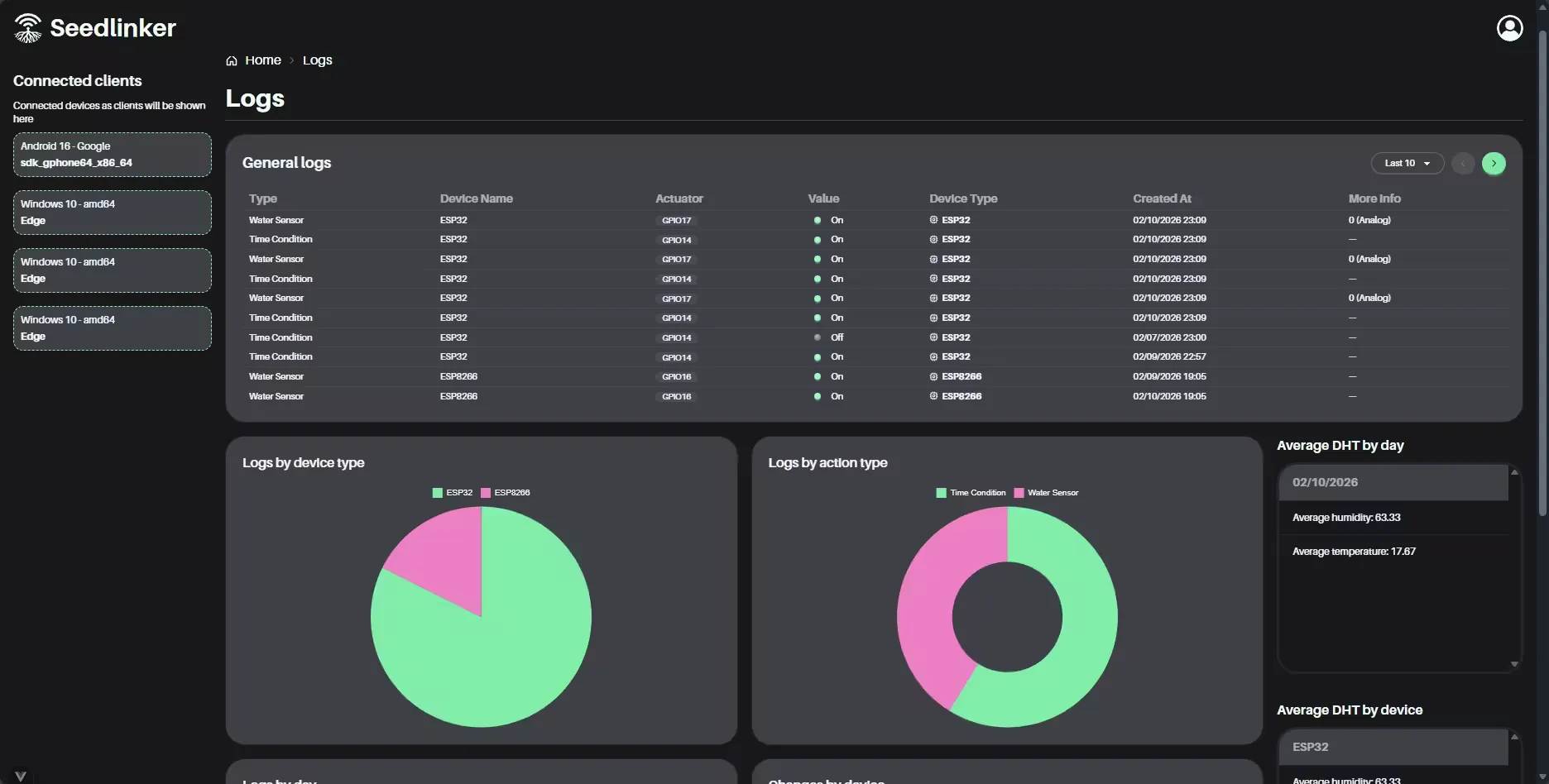
- Control dashboard: Centralized view of all registered devices, showing current states, sensor readings, and the ability to manually control actuators.
- Real-time data visualization: Interactive charts for sensor readings (temperature, humidity, water level) updated in real time.
- Logs and graphs view: Dedicated screen to query event history and sensor readings with visualizations.
- Light/dark theme: Users can switch between light and dark themes for improved UX.
- Internationalization: Supports English and Spanish, with the ability to add more languages.
Modules
- components: UI components organized by project areas and reusable parts.
- views: Page-level views like the dashboard and logs.
- layouts: Wrapper components that provide common structure (main layout).
- router: Routing configuration for navigation.
- stores: Global state management with Pinia (e.g., list of connected devices).
- composables: Reusable functions encapsulating logic and API calls.
- interfaces: TypeScript types for application data structures.
- schemas: Zod schemas for data validation.
- translations: Strings organized by language.
- assets: Static resources and styles.
- utils: Helpers like cookie helpers, UUID validation, etc.
- classes: Reusable classes for services and logic.
- data: Static data and configuration.
Prerequisites
- Node.js 18.x or higher
- npm 9.x or higher
- Seedlinker Server running and accessible
Installation and running (frontend)
-
Clone the repository:
git clone https://github.com/igidio/seedlinker_web_client.git cd seedlinker_web_client -
Install dependencies:
npm install -
Environment variables: Copy
.env.templateto.envand set the Seedlinker server address (if it’s running on a different port than 8000).cp .env.template .env # Edit .env with your values -
Start the app in development mode:
npm run dev
The app should be available at 🔗http://localhost:3000 and ready to interact with the Seedlinker server.
Seedlinker ESP32 / ESP8266
Seedlinker ESP32 and Seedlinker ESP8266 are custom firmware projects for the microcontrollers used in the Seedlinker ecosystem. The firmware enables devices to read sensors (temperature, humidity, water), control actuators (heaters, fans, water pumps), and communicate in real time via WebSockets with the Seedlinker server.
The firmware is written in C++ using the Arduino framework on PlatformIO, offering modern development tools, dependency management, and optimized builds. It keeps global state for critical variables such as sensor values, actuators, and WiFi connection to ensure efficient and reliable operation.
Tech stack
- Target Hardware
-
 ESP32: Microcontroller for IoT projects
 - ESP8266: Microcontroller for IoT projects
-
- Firmware
-
 C++: Programming language for firmware development
 -
 PlatformIO: Development environment for IoT projects
 -
 Arduino Framework: Framework for firmware development on microcontrollers
-
- Communication
- 🔌 WebSockets: Real-time communication protocol
- 🌐 HTTP: Communication protocol for the web
- Libraries
- 🌡️ DHT Sensor library: Library for DHT sensors (temperature and humidity)
- ⏰ NTPClient: Library for time synchronization with NTP servers
- ArduinoJson: Library for handling JSON in Arduino
Features
-
Unique identity: The device generates and stores a UUID in persistent memory so every device can be uniquely identified in the Seedlinker ecosystem.
-
Hybrid mode: Firmware supports automatic and manual modes. In automatic mode, the device evaluates configured (sensor and time) conditions to actuate outputs autonomously; in manual mode, users can control actuators directly via server commands.
-
Local automation: The firmware can run automation rules locally without server intervention, ensuring fast and reliable responses to environmental changes.
-
Log forwarding: Devices send detailed logs to the server whenever a sensor or actuator state changes.
-
Automatic pin management: Uses vectors (
std::vector) to track which pins should be active and automatically turns off pins that are no longer required to avoid conflicts.
Modules
-
main.cpp: Entry point that initializes hardware, connects to WiFi and WebSocket, and runs the main loop for reading sensors and managing actuators.
-
auto: Automation engine that evaluates user-defined rules (by sensor and by time) and executes corresponding actions.
-
websocket: Manages the WebSocket connection with the server to send sensor data and receive actuator commands.
-
messages: Defines the JSON-based protocol used over WebSocket.
-
wifi_utils: Utilities for WiFi connection management, automatic reconnection, and event handling.
-
get_uuid: Functions to generate/retrieve the device UUID used for identification.
-
utils: Miscellaneous utility functions.
Prerequisites
- ESP32 or ESP8266
- Microcontroller drivers installed
- PlatformIO IDE or PlatformIO Core CLI
- USB cable to program the device
- WiFi credentials
- Seedlinker Server running and accessible
Installation and running (firmware)
-
Clone the firmware repository:
# For ESP32 git clone https://github.com/igidio/seedlinker_esp32.git cd seedlinker_esp32 # For ESP8266 git clone https://github.com/igidio/seedlinker_esp8266.git cd seedlinker_esp8266 -
Configure WiFi and server address in
📄src/main.cpp:const char *ssid = "Your_SSID"; // Your WiFi network name const char *password = "YOUR_PASSWORD"; // Your WiFi password const char *server = "192.168.0.99"; // SeedLinker Server IP const int port = 8000; // SeedLinker Server port // . . . -
Connect the device via USB.
-
Build and upload using PlatformIO:
pio run --target upload
After flashing, the device will reboot. On first boot it generates a unique UUID and attempts to connect to WiFi and the Seedlinker server.
Seedlinker Android App
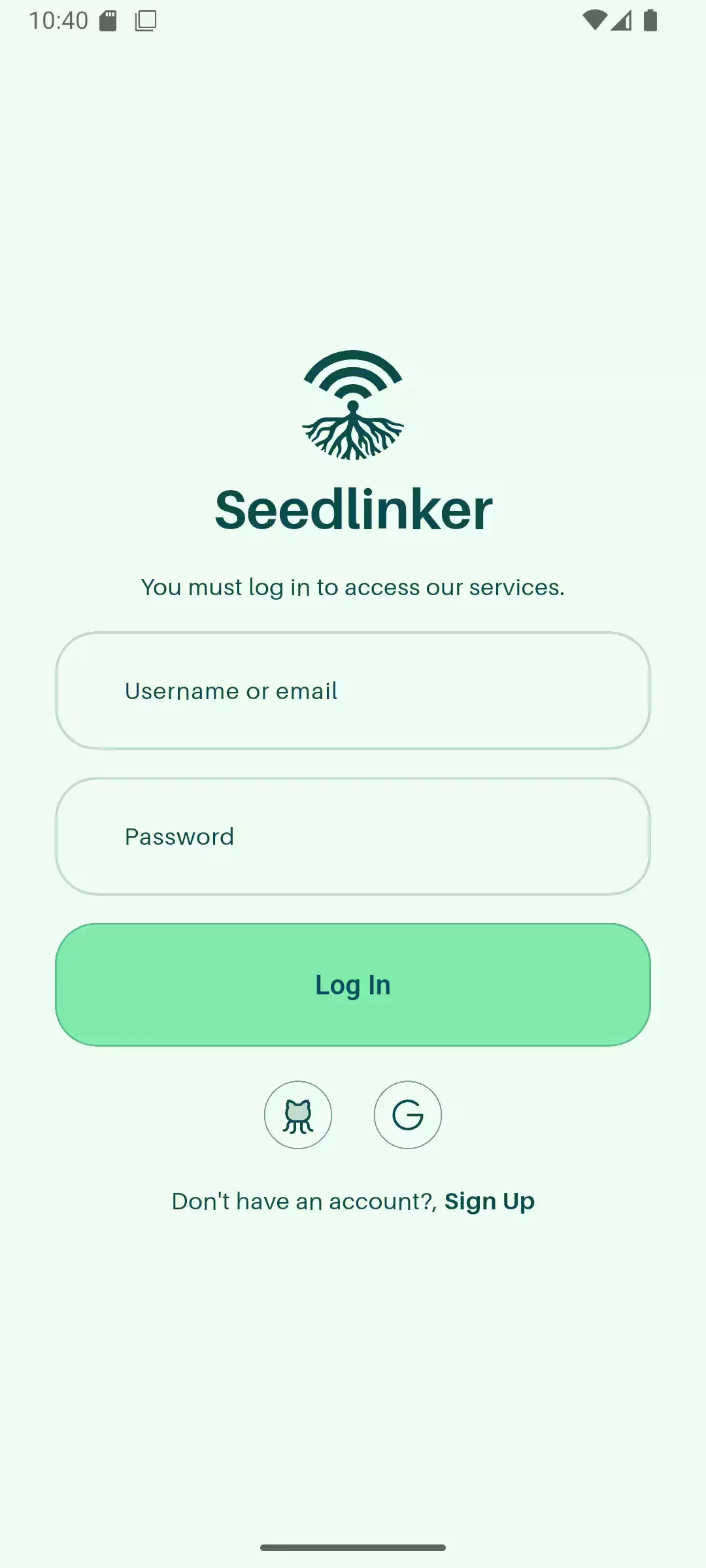
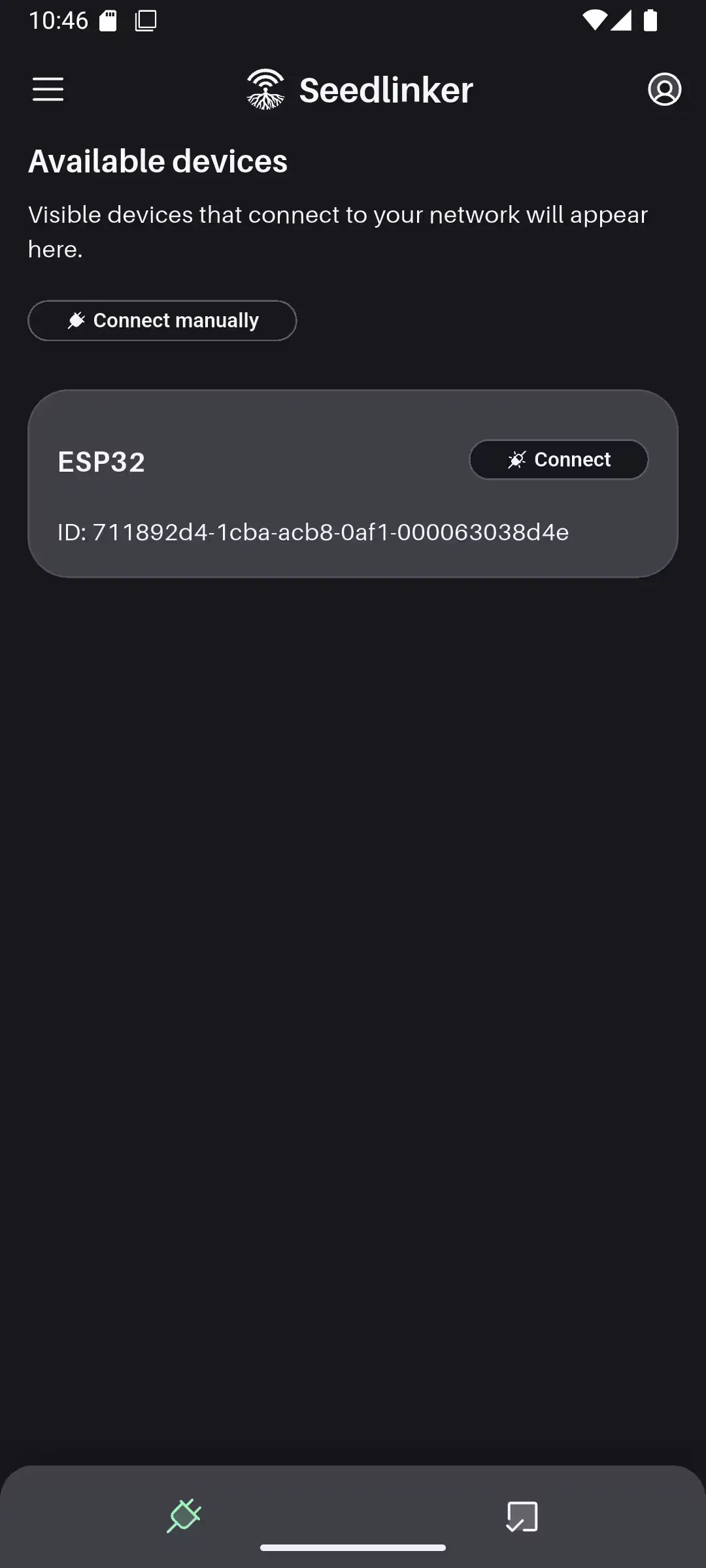
Seedlinker Android App is a Flutter-based Android application providing a native interface for Seedlinker. It allows users to monitor and control IoT devices on the go, featuring real-time communication and deep linking for a seamless integration with the Seedlinker server.
Tech stack
- Mobile
-
 Dart: Programming language
 -
 Flutter: Framework for mobile app development
-
- State management
-
 Riverpod: State management for Flutter
-
- Navigation
- Go Router: Routing management
-
- Data fetching
- Dio: HTTP client for Dart and Flutter
- Web Socket Channel: Support for real-time communication with WebSockets
-
- UI
-
 Google Fonts: Custom font integration
 - Flutter SVG: Support for SVG graphics
-
 Iconify: Icon library
 - 🎬 animate_do: Animation library
-
- Internationalization
- 🌍 Easy Localization: Multilanguage support
- Local persistence
- Shared Preferences: Local data storage
-
- Link management
- 🔗 app_links: Support for deep linking
- URL Launcher: Launching external URLs
- Utilities
- 🌿 flutter_dotenv: Environment variable loading
- device_info_plus: Environment variable loading
- 🍞 fluttertoast: Displaying toast messages
- Flutter Launcher Icons: App icon generation
Features
-
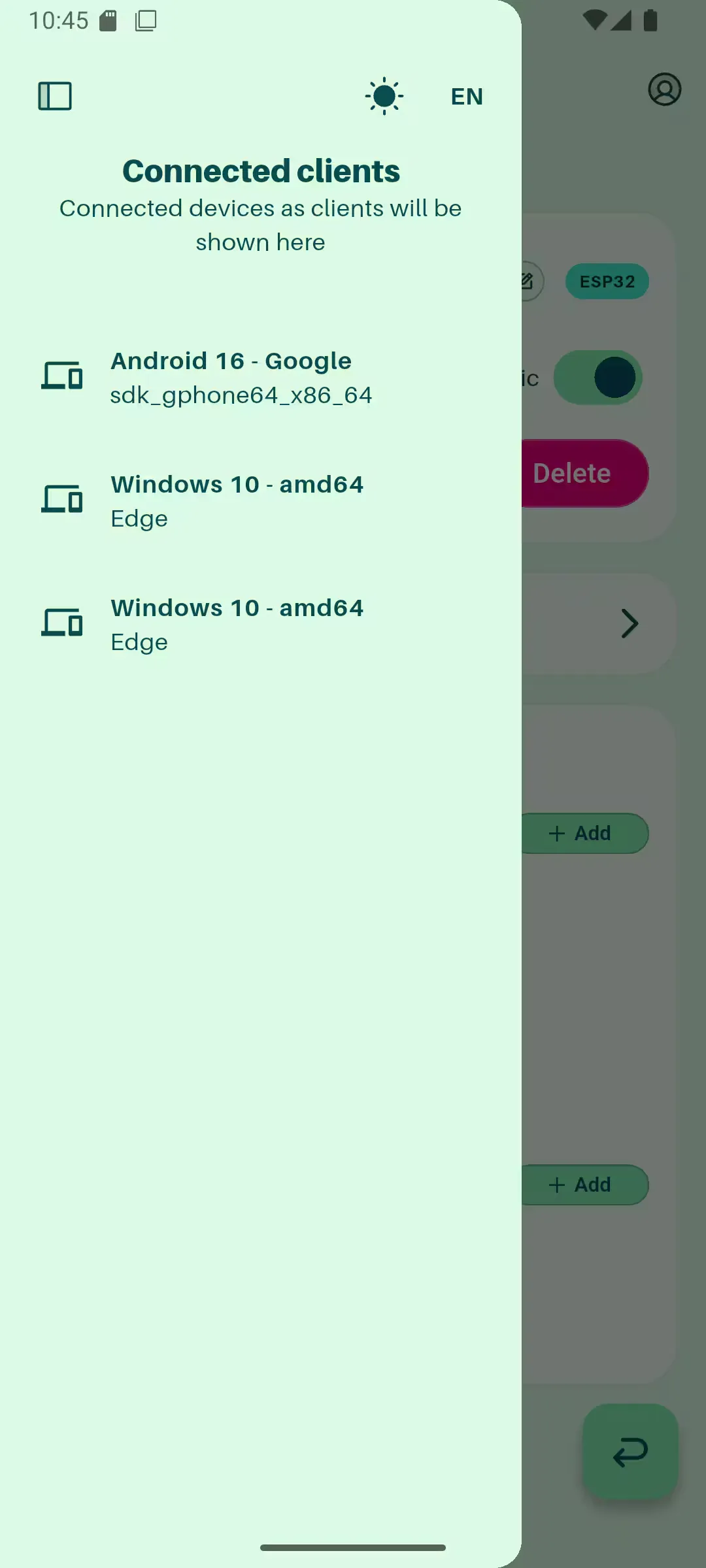
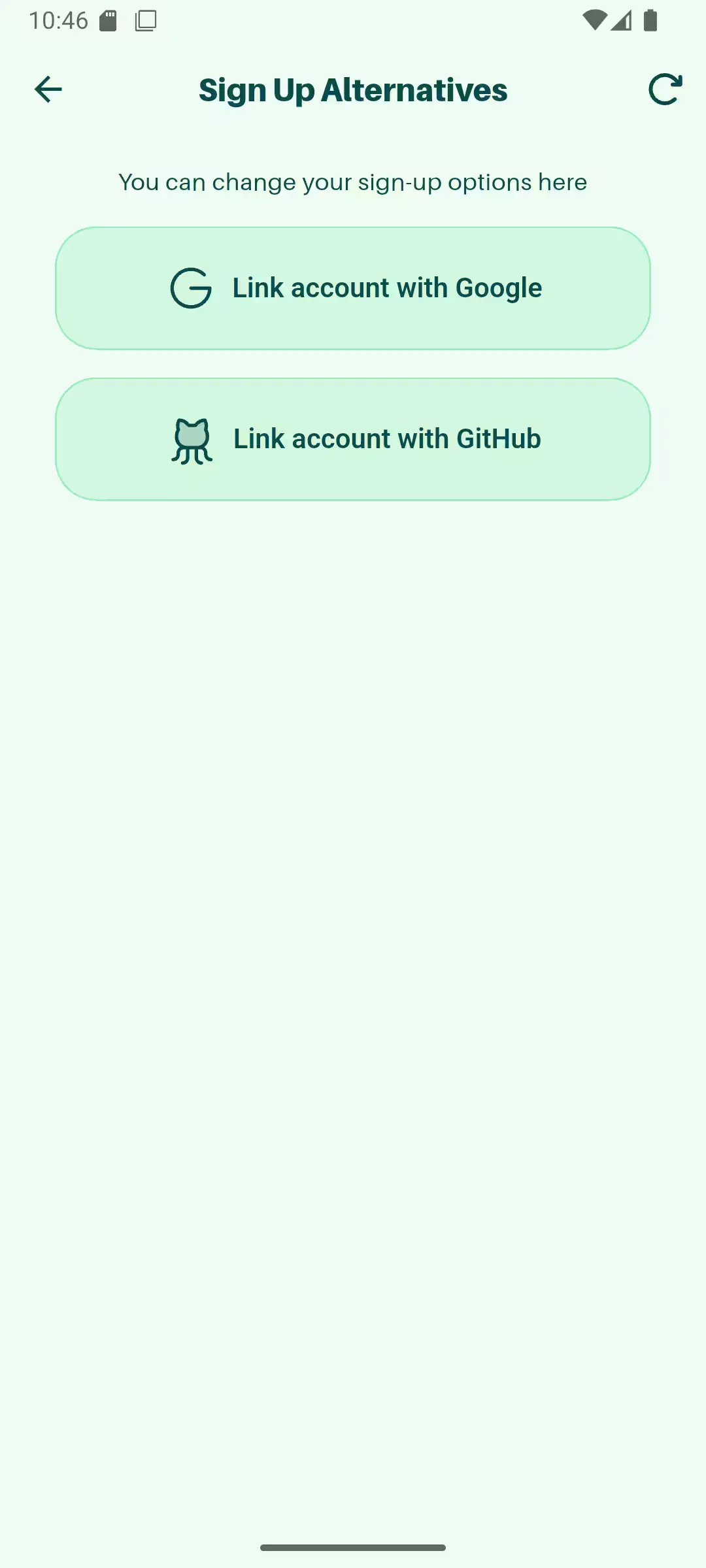
User authentication: Supports three methods: classic email/password, Google social login, and GitHub social login.
-
Device control: Full device detail view with sensor readings and manual actuator control.
-
GPIO management: Configure and control device pins, assigning functions and monitoring state in real time.
-
User profile and settings: Manage profile, passwords, app preferences and registered devices.
-
Deep linking: Supports deep linking for OAuth flows and for opening app screens directly from web URLs (
seedlinkerapp://). -
WebSockets: Persistent WebSocket connection with automatic reconnection for a stable real-time experience.
-
Internationalization: English and Spanish support with ability to add more languages.
-
Light/dark themes: Theme support for better UX in different lighting conditions.
Modules
- main.dart: App entry point, initializes app, routes and global state.
- routes.dart: App navigation routes.
- models: Data models for users, devices, sensors and actuators.
- providers: State management using Riverpod.
- services: Communication with the Seedlinker server.
- storages: Local persistence for tokens and settings.
- theme: App colors and styles.
- layouts: Screen layouts like dashboard and device details.
- widgets: Reusable UI components.
- utils: Utility helpers such as date formatting.
- features: Feature-specific logic and screens.
Prerequisites
- Flutter SDK 3.7.x or higher
- Android Studio or VS Code with Flutter extension
- Android device or emulator
- Seedlinker Server running and accessible
Installation and running (mobile)
-
Clone the repository:
git clone https://github.com/igidio/seedlinker_androidapp.git cd seedlinker_androidapp -
Install dependencies:
flutter pub get -
Configure
.envfrom.env.templatewith the server address:cp .env.template .env # Edit .env with your values -
Run the app in development:
flutter run
License
This project is licensed under the MIT License. See 📄LICENSE.md in the respective repositories for details.